Best Framer Templates with Parallax Scrolling
Last Updated on:
Author:
Framerbite
Framerbite
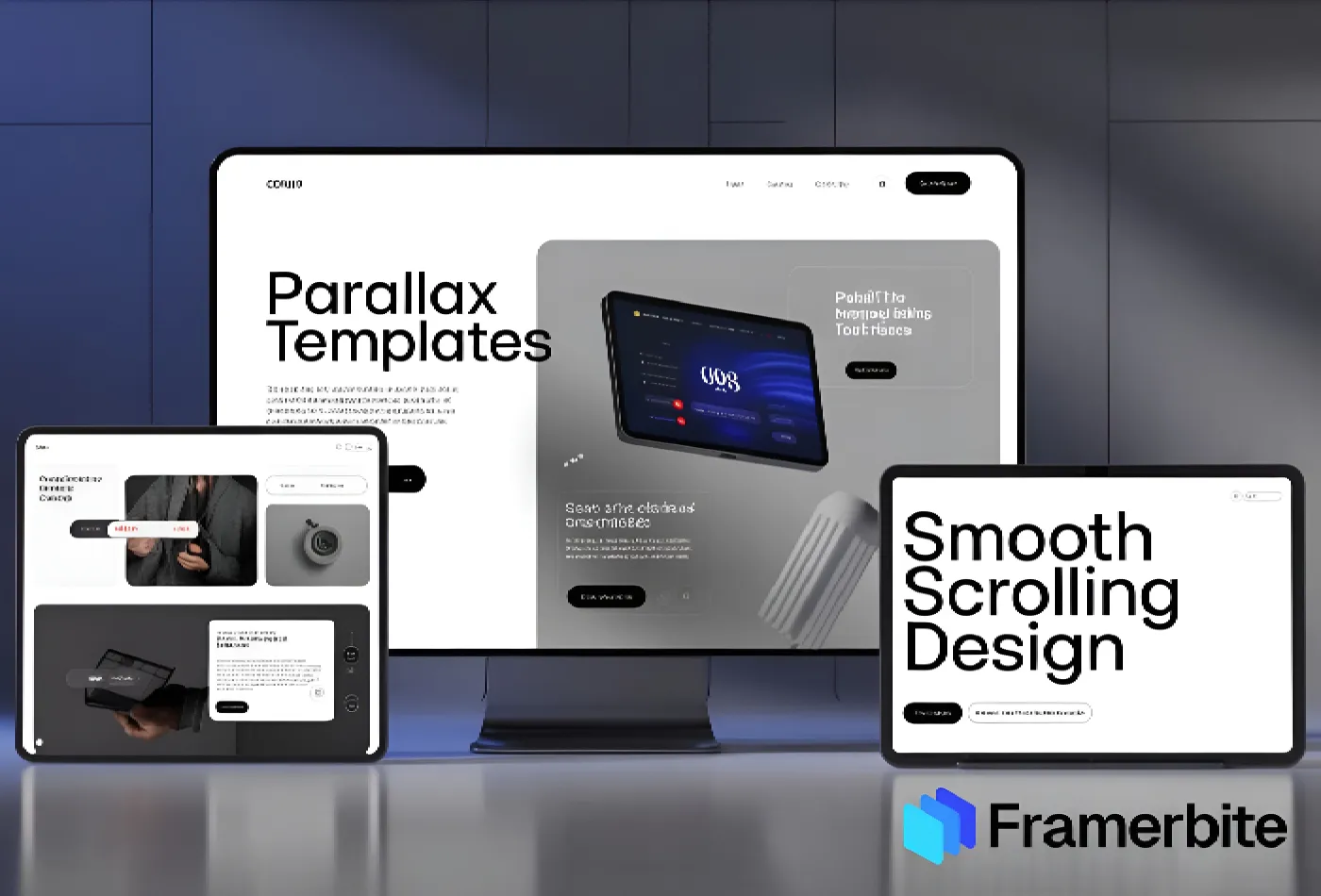
Framer parallax scrolling templates are quickly becoming one of the most eye-catching trends in modern web design. As one scrolls through a page, websites turn into whatever you can imagine. In other words, people now perceive content with layered background movements, as well as cinematic and interactive animations.
In just one flick of the mouse, parallax scrolling can instantly make that portfolio, startup landing page, SaaS site, or creative agency look professional. With the powerful no-code editor of Framer, you don't have to be a skilled developer to design scroll effect sites. You can start simply by adding your own look to pre-made Framer parallax scrolling templates, and within days, not weeks, to build a very high-impact site.
What Is Parallax Scrolling?
Parallax scrolling is a web design technique where different layers of content move at different speeds as a user scrolls. This creates a broad 3D effect, giving off that stunning and visually appealing feel.
There is a slight difference between the scrolling speed of images, type, and background elements compared to all of them together. That gives your site a feeling of life and interaction, almost like a story.
How Does Parallax Scrolling Work
This kind of scrolling method is simply new. Normally, it goes something like:
Background layers: move slowly, creating depth
Foreground layers: move faster, drawing attention
Interactive elements: fade, slide, or pop in as you scroll
In Framer, these layers can be controlled through scroll sections, motion effects, and triggers, allowing you to create sophisticated websites without having to write a single line of code. This technique works perfectly for:
Product landing pages
Portfolios and case studies
Storytelling websites
App and startup presentations
Agency or creative studio pages
Why Use Parallax Scrolling in Web Design?
Here’s why parallax scrolling websites are becoming a must-have in 2026:
Benefit | Why It Matters |
Storytelling | Helps guide visitors through a narrative, making your content more engaging |
Visual Depth | Adds 3D-like effects that make pages feel interactive |
User Engagement | Scroll-triggered animations keep users interested and reduce bounce rates |
Conversion Power | Highlights products, features, and CTAs dynamically |
Brand Identity | Creates a memorable and premium website experience |
When done right, parallax scrolling transforms ordinary web pages into immersive experiences, giving your brand a modern edge.
Real Websites as Parallax Scrolling Examples
1. The TinyPod
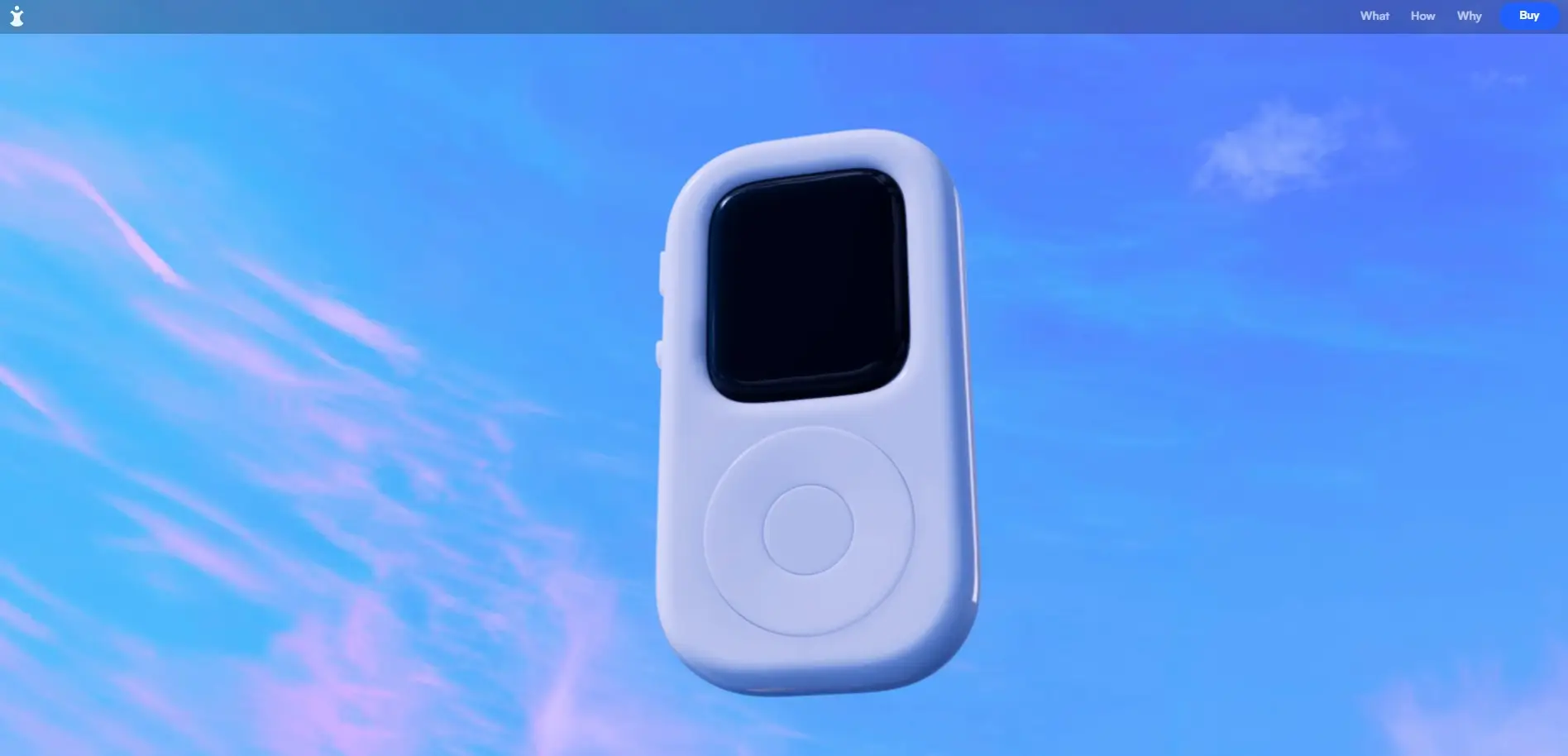
The TinyPod uses parallax to create an immersive product showcase: as you scroll, you get a 360-degree view of the product, so you basically explore every angle of it much better than static images. Mid-page, there’s a clever interactive moment: the product ''flips,'' and a hand appears holding it, reinforcing the tagline ''Everything you need in the palm of your hand.'' This kind of scroll-triggered animation blends storytelling with product presentation.
Because of that, the site doesn’t feel like a regular e-commerce or product page; it feels cinematic, engaging, and interactive. For visitors, it’s more like a visual product tour than a catalog.
Why does it work as a parallax example?
It shows how parallax and scroll-triggered transforms (rotation, layered reveal) make a product feel real, physical, and 360°. It demonstrates that parallax isn’t just decoration, when used thoughtfully, it can significantly elevate user experience and product storytelling.
Visit the website
2. Mars Rejects

On landing, Mars Rejects uses a bold header graphic that moves horizontally as you scroll immediately giving a dynamic, animated feel. As you scroll further, background and the hero graphic subtly shift forward, background color changes, and header text transitions become animated. It creates a cinematic, layered effect.
In the ''storytelling'' part of the site, as you scroll, text-cards appear while background images and layers animate the background moves, layers shift, and the scene stacks dynamically. This layering and motion deepen immersion into the site’s world.
Why does it work as a parallax example?
It uses both horizontal and vertical motion with background & foreground layering, showing how parallax can be more than vertical slowdown; it can involve multi directional movement and color transitions for dramatic effect. It shows how parallax + motion can support storytelling here telling about a world (in this case NFTs/characters), not just selling a product.
Visit the website
3. Unifiers of Japan
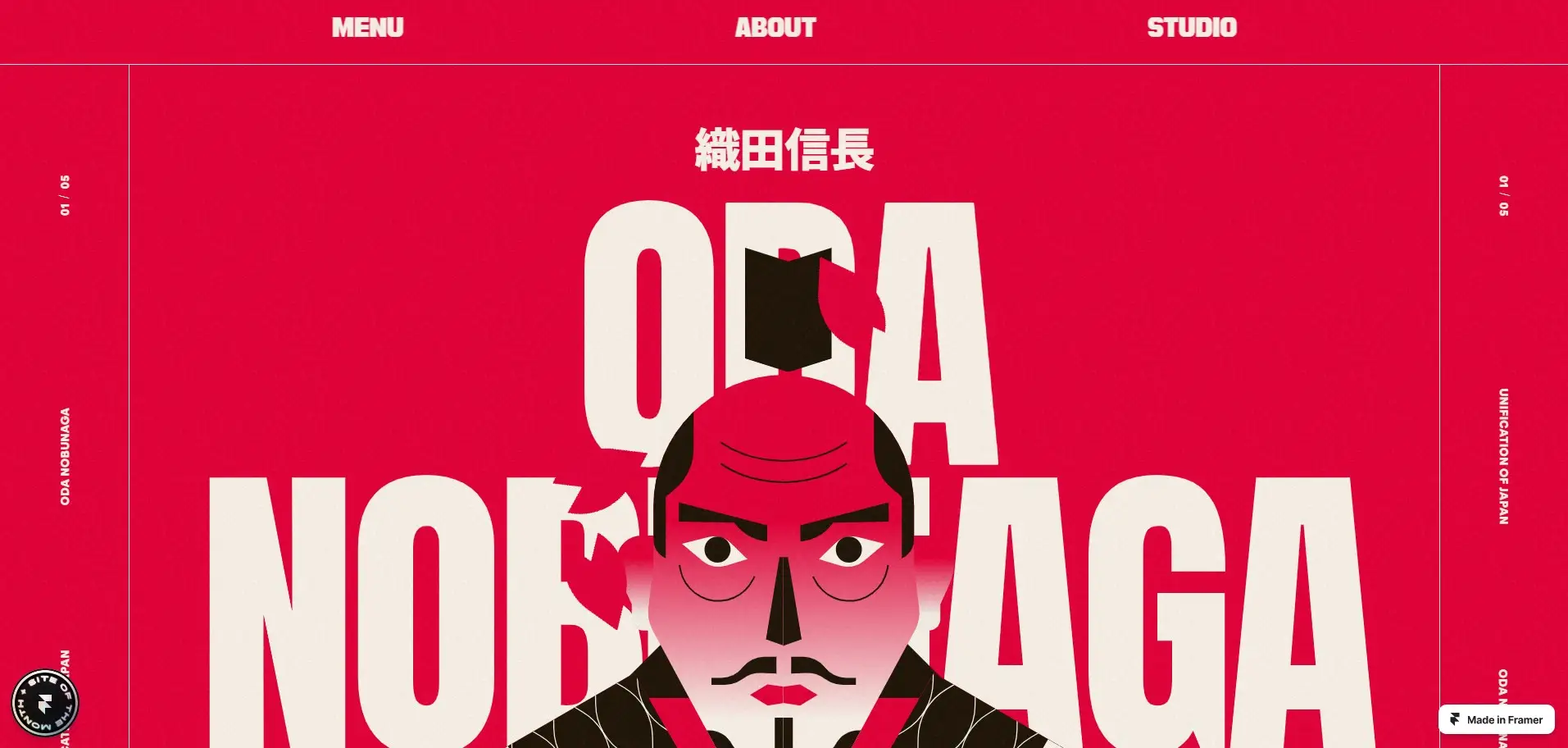
The site tells a historical story about a Japanese unifier and uses parallax scrolling to turn that history into an immersive narrative experience. The landing headers and images transform as you scroll: a plain header image gradually changes, elements animate, making the user feel drawn into the story.
As you scroll, backgrounds and layers shift at different speeds, giving a cinematic, smooth-scroll feel. It’s not flashy the scroll is smooth and subtle, but highly effective in building atmosphere and engagement. The combination of minimal but meaningful motion, storytelling content, and historical visuals shows that parallax doesn’t need to be over-the-top to be powerful.
Why does it work as a parallax example?
It proves that parallax scrolling works beyond e-commerce or product sites, even storytelling, history, or content websites benefit when design + motion, + narrative combine. It offers a template for ''content + visuals + motion'' websites, something you can adapt when building blogs, portfolios, or agencies, which matches your own background (SEO + content + Webflow templates /Framer templates).
Visit the website
Best Framer Templates with Parallax Scrolling
Here are the top FramerBite templates that make parallax scrolling easy to use for any website. These templates are ready-to-use, customizable and perfect for designers, agencies, startups, and content creators.
1. Web3Bit
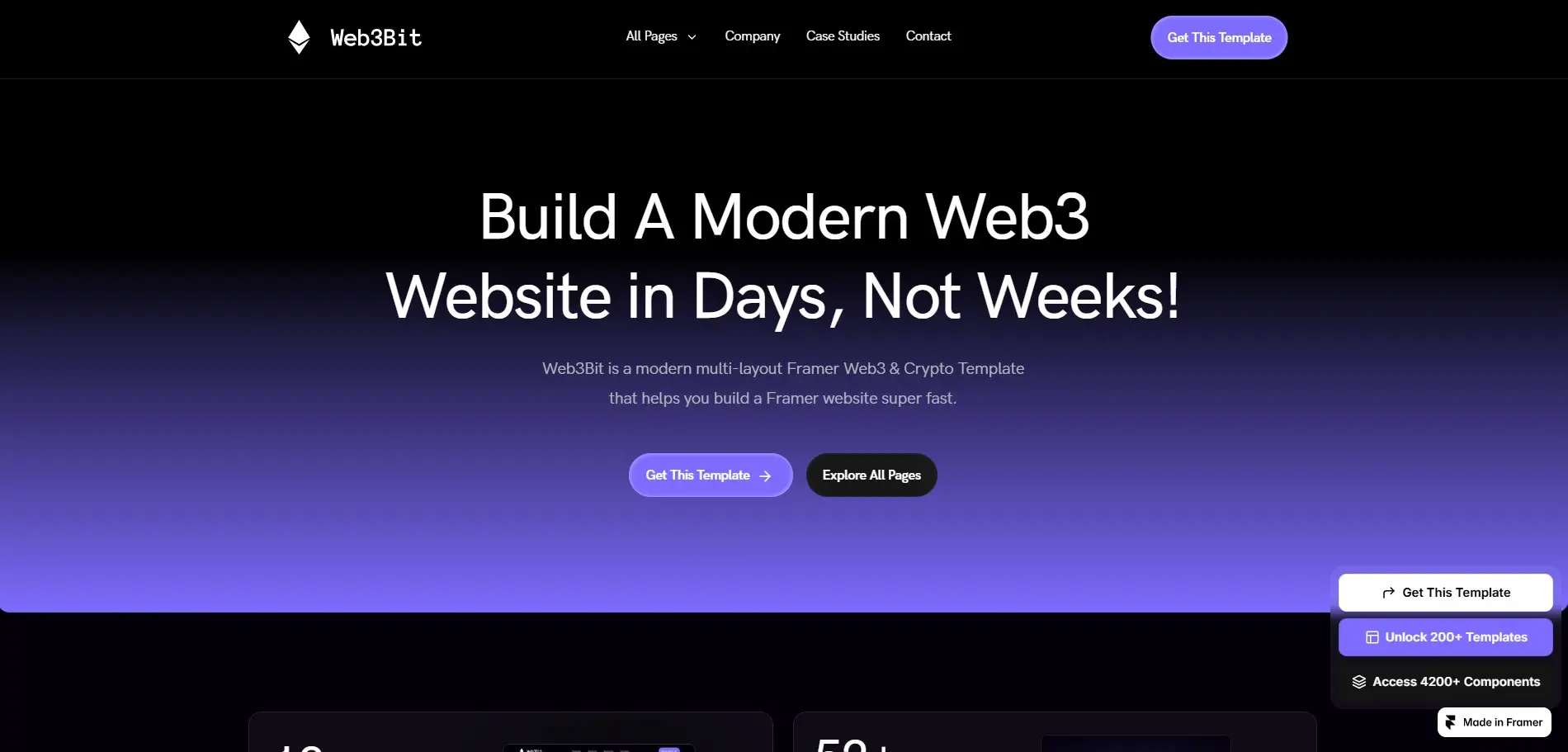
Web3Bit is excellent for modern tech projects. With parallax scrolling, scroll animations, and layered motion, it is an interactive and engaging website experience. Its dark, bold layout is perfect for SaaS products, crypto startups, and AI platforms.
You can use Web3Bit as an in-depth editor for product features or roadmap sections with subtle parallax effects on icons and graphics to let content come alive.
View Web3Bit Here
2. Brett
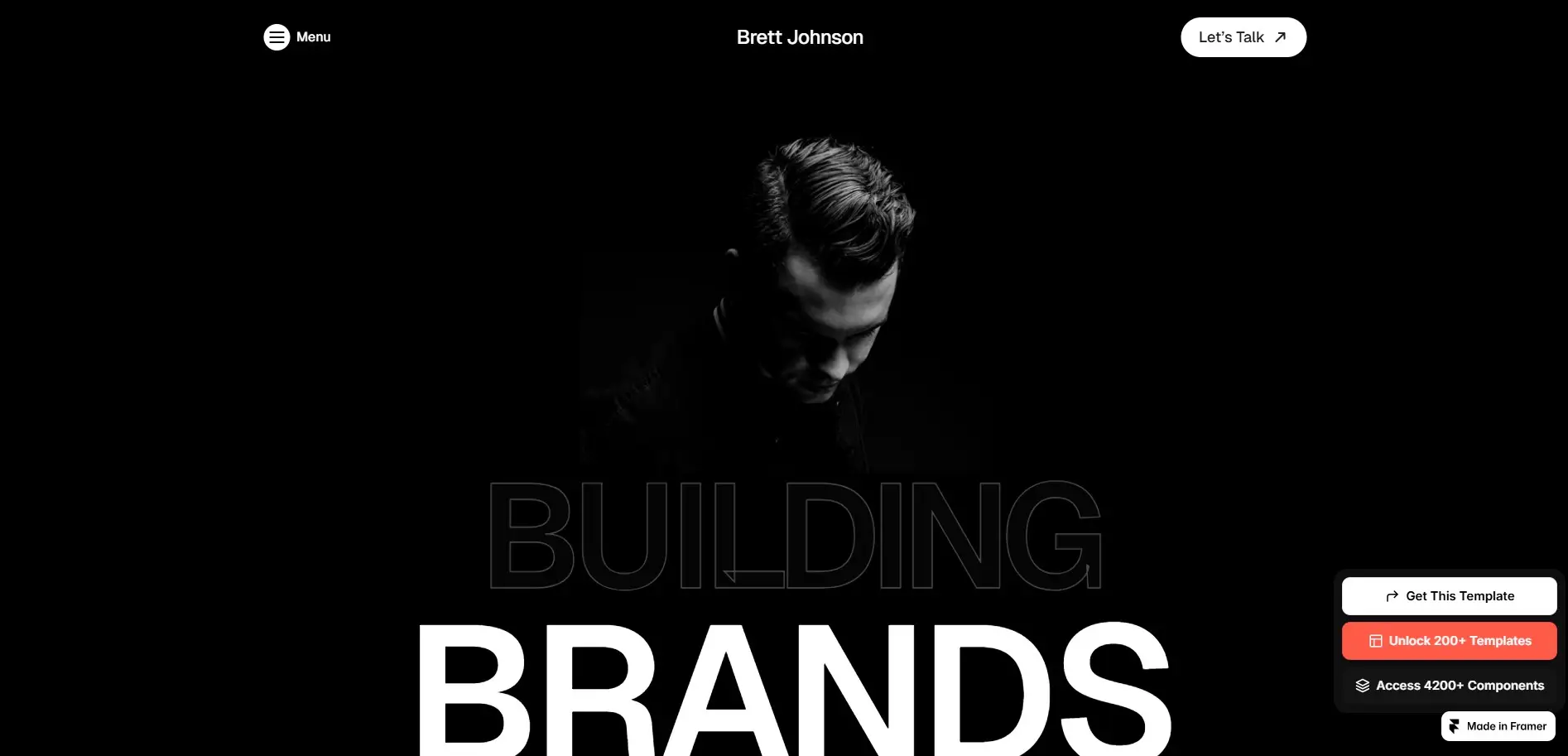
Brett is a clean, modern personalized card ideal for designers and agencies. Scroll-trigger animations make a premium background, with layered parallax effects. Case studies, projects, and services can be showcased visually.
Feature large images with smooth scrolling text blocks for a cinematic storytelling effect.
View Brett Here
3. AutomatePro

AutomatePro combines parallax scrolling with scroll sections, appropriate for SaaS websites and digital product launches. Counting assistance in this feature reveals motion and layered action that draws people's attention right to your call to action buttons.
Highlight product benefits with motion-triggered images or icons. Subtle depth over a background makes for a professional look.
View AutomatePro Here
4. Mobit
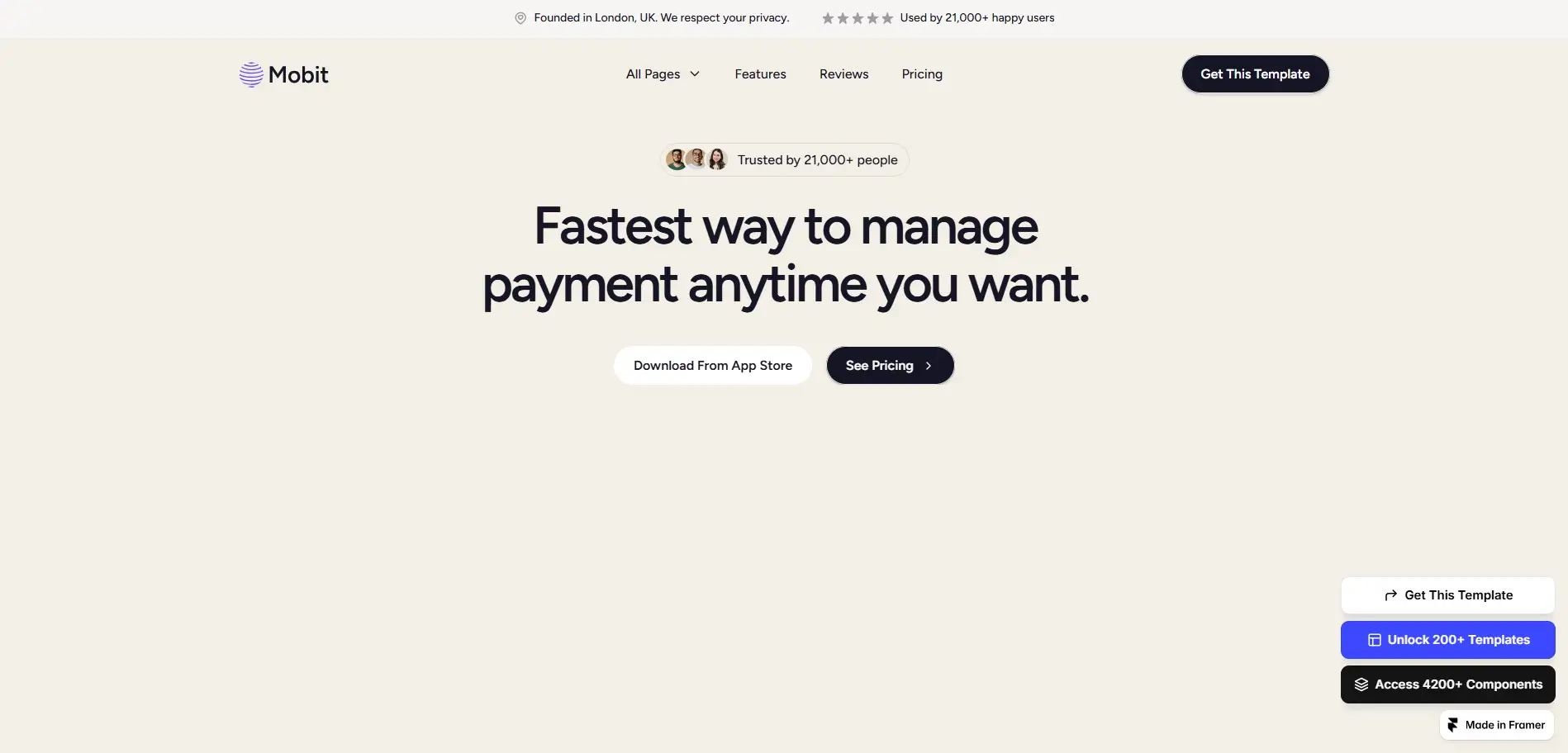
Mobit delivers the best app presentation possible. It uses easy parallax scrolling, soft animations and clean layouts to guide visitors through app features.
To make a landing page feel modern, animate screenshots and prototypes as users scroll down.
View Mobit Here
5. NextSpace
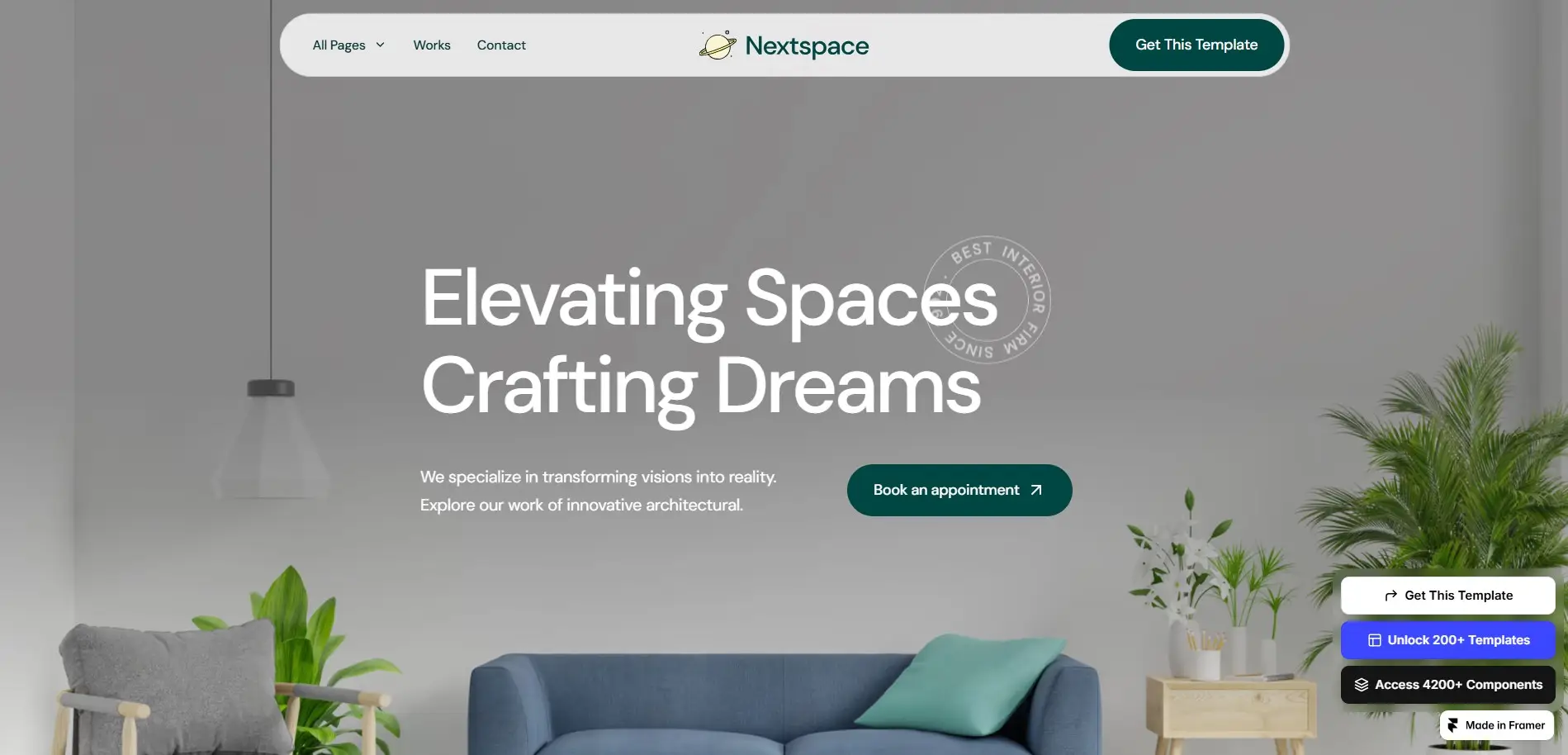
NextSpace is visually rich and great for creative expressions or agency sites. It mixes smooth parallax scrolling with layered image overlays to give a more cinematic feel to your website.
Best for showing off the portfolios, client projects, or interior design work. The gradual introduction of elements creates a storytelling flow.
View NextSpace Here
Common Mistakes With Parallax Scrolling
While parallax scrolling can enhance websites, mistakes can harm UX and performance:
Overusing animations: Too many moving elements overwhelm visitors.
Ignoring mobile optimization: Heavy effects can break layouts on small screens.
Large, Unoptimized images: Can slow down page load times.
Too fast or inconsistent scroll speeds: Can confuse users.
Step-by-Step Tips to Build Your Own Parallax Website in Framer
Choose the right template: Pick one with built-in parallax scrolling like Web3Bit or Brett.
Plan your layout: Decide which elements should move slower/faster for visual depth.
Use layers and scroll sections: Framer’s scroll sections make parallax easy without coding.
Add subtle motion: Less is more. Keep animations smooth and purposeful.
Optimize images: Compress images to maintain fast page load speeds.
Test responsiveness: Ensure parallax works well on mobile and tablets.
FAQ – Parallax Scrolling in Web Design
1. What is parallax scrolling?
Parallax scrolling is when website elements move at different speeds while scrolling, creating depth and immersion.
2. How does parallax scrolling work?
It works by layering content and assigning different scroll speeds or animations to each layer.
3. Is parallax scrolling bad?
Not if used properly. Keep animations light, optimize images, and check mobile responsiveness.
4. Can I add parallax scrolling in Framer?
Yes, Many Framer templates include built-in parallax effects and scroll-based animations.
5. Does parallax scrolling improve user engagement?
Yes, it encourages visitors to explore the page, reducing bounce rates and increasing interaction.
6. What templates are best for parallax scrolling?
Templates like Web3Bit, Brett, AutomatePro, NextSpace, and Mobit provide excellent parallax features.
Wrapping Up: Create Cinematic Websites With Parallax Scrolling
Parallax scrolling isn’t just a visual trend, it’s a tool to make websites immersive, engaging, and memorable. With Framer templates like Web3Bit, Brett, AutomatePro, NextSpace, and Mobit, you can build modern, professional websites without coding.
Experiment with motion, layers, and scroll animations. Combine storytelling with design to create a website that stands out in 2026. Whether you’re a designer, agency, startup, or freelancer, parallax scrolling can make your web projects feel alive.
Framer parallax scrolling templates are quickly becoming one of the most eye-catching trends in modern web design. As one scrolls through a page, websites turn into whatever you can imagine. In other words, people now perceive content with layered background movements, as well as cinematic and interactive animations.
In just one flick of the mouse, parallax scrolling can instantly make that portfolio, startup landing page, SaaS site, or creative agency look professional. With the powerful no-code editor of Framer, you don't have to be a skilled developer to design scroll effect sites. You can start simply by adding your own look to pre-made Framer parallax scrolling templates, and within days, not weeks, to build a very high-impact site.
What Is Parallax Scrolling?
Parallax scrolling is a web design technique where different layers of content move at different speeds as a user scrolls. This creates a broad 3D effect, giving off that stunning and visually appealing feel.
There is a slight difference between the scrolling speed of images, type, and background elements compared to all of them together. That gives your site a feeling of life and interaction, almost like a story.
How Does Parallax Scrolling Work
This kind of scrolling method is simply new. Normally, it goes something like:
Background layers: move slowly, creating depth
Foreground layers: move faster, drawing attention
Interactive elements: fade, slide, or pop in as you scroll
In Framer, these layers can be controlled through scroll sections, motion effects, and triggers, allowing you to create sophisticated websites without having to write a single line of code. This technique works perfectly for:
Product landing pages
Portfolios and case studies
Storytelling websites
App and startup presentations
Agency or creative studio pages
Why Use Parallax Scrolling in Web Design?
Here’s why parallax scrolling websites are becoming a must-have in 2026:
Benefit | Why It Matters |
Storytelling | Helps guide visitors through a narrative, making your content more engaging |
Visual Depth | Adds 3D-like effects that make pages feel interactive |
User Engagement | Scroll-triggered animations keep users interested and reduce bounce rates |
Conversion Power | Highlights products, features, and CTAs dynamically |
Brand Identity | Creates a memorable and premium website experience |
When done right, parallax scrolling transforms ordinary web pages into immersive experiences, giving your brand a modern edge.
Real Websites as Parallax Scrolling Examples
1. The TinyPod
The TinyPod uses parallax to create an immersive product showcase: as you scroll, you get a 360-degree view of the product, so you basically explore every angle of it much better than static images. Mid-page, there’s a clever interactive moment: the product ''flips,'' and a hand appears holding it, reinforcing the tagline ''Everything you need in the palm of your hand.'' This kind of scroll-triggered animation blends storytelling with product presentation.
Because of that, the site doesn’t feel like a regular e-commerce or product page; it feels cinematic, engaging, and interactive. For visitors, it’s more like a visual product tour than a catalog.
Why does it work as a parallax example?
It shows how parallax and scroll-triggered transforms (rotation, layered reveal) make a product feel real, physical, and 360°. It demonstrates that parallax isn’t just decoration, when used thoughtfully, it can significantly elevate user experience and product storytelling.
Visit the website
2. Mars Rejects
On landing, Mars Rejects uses a bold header graphic that moves horizontally as you scroll immediately giving a dynamic, animated feel. As you scroll further, background and the hero graphic subtly shift forward, background color changes, and header text transitions become animated. It creates a cinematic, layered effect.
In the ''storytelling'' part of the site, as you scroll, text-cards appear while background images and layers animate the background moves, layers shift, and the scene stacks dynamically. This layering and motion deepen immersion into the site’s world.
Why does it work as a parallax example?
It uses both horizontal and vertical motion with background & foreground layering, showing how parallax can be more than vertical slowdown; it can involve multi directional movement and color transitions for dramatic effect. It shows how parallax + motion can support storytelling here telling about a world (in this case NFTs/characters), not just selling a product.
Visit the website
3. Unifiers of Japan
The site tells a historical story about a Japanese unifier and uses parallax scrolling to turn that history into an immersive narrative experience. The landing headers and images transform as you scroll: a plain header image gradually changes, elements animate, making the user feel drawn into the story.
As you scroll, backgrounds and layers shift at different speeds, giving a cinematic, smooth-scroll feel. It’s not flashy the scroll is smooth and subtle, but highly effective in building atmosphere and engagement. The combination of minimal but meaningful motion, storytelling content, and historical visuals shows that parallax doesn’t need to be over-the-top to be powerful.
Why does it work as a parallax example?
It proves that parallax scrolling works beyond e-commerce or product sites, even storytelling, history, or content websites benefit when design + motion, + narrative combine. It offers a template for ''content + visuals + motion'' websites, something you can adapt when building blogs, portfolios, or agencies, which matches your own background (SEO + content + Webflow templates /Framer templates).
Visit the website
Best Framer Templates with Parallax Scrolling
Here are the top FramerBite templates that make parallax scrolling easy to use for any website. These templates are ready-to-use, customizable and perfect for designers, agencies, startups, and content creators.
1. Web3Bit
Web3Bit is excellent for modern tech projects. With parallax scrolling, scroll animations, and layered motion, it is an interactive and engaging website experience. Its dark, bold layout is perfect for SaaS products, crypto startups, and AI platforms.
You can use Web3Bit as an in-depth editor for product features or roadmap sections with subtle parallax effects on icons and graphics to let content come alive.
View Web3Bit Here
2. Brett
Brett is a clean, modern personalized card ideal for designers and agencies. Scroll-trigger animations make a premium background, with layered parallax effects. Case studies, projects, and services can be showcased visually.
Feature large images with smooth scrolling text blocks for a cinematic storytelling effect.
View Brett Here
3. AutomatePro
AutomatePro combines parallax scrolling with scroll sections, appropriate for SaaS websites and digital product launches. Counting assistance in this feature reveals motion and layered action that draws people's attention right to your call to action buttons.
Highlight product benefits with motion-triggered images or icons. Subtle depth over a background makes for a professional look.
View AutomatePro Here
4. Mobit
Mobit delivers the best app presentation possible. It uses easy parallax scrolling, soft animations and clean layouts to guide visitors through app features.
To make a landing page feel modern, animate screenshots and prototypes as users scroll down.
View Mobit Here
5. NextSpace
NextSpace is visually rich and great for creative expressions or agency sites. It mixes smooth parallax scrolling with layered image overlays to give a more cinematic feel to your website.
Best for showing off the portfolios, client projects, or interior design work. The gradual introduction of elements creates a storytelling flow.
View NextSpace Here
Common Mistakes With Parallax Scrolling
While parallax scrolling can enhance websites, mistakes can harm UX and performance:
Overusing animations: Too many moving elements overwhelm visitors.
Ignoring mobile optimization: Heavy effects can break layouts on small screens.
Large, Unoptimized images: Can slow down page load times.
Too fast or inconsistent scroll speeds: Can confuse users.
Step-by-Step Tips to Build Your Own Parallax Website in Framer
Choose the right template: Pick one with built-in parallax scrolling like Web3Bit or Brett.
Plan your layout: Decide which elements should move slower/faster for visual depth.
Use layers and scroll sections: Framer’s scroll sections make parallax easy without coding.
Add subtle motion: Less is more. Keep animations smooth and purposeful.
Optimize images: Compress images to maintain fast page load speeds.
Test responsiveness: Ensure parallax works well on mobile and tablets.
FAQ – Parallax Scrolling in Web Design
1. What is parallax scrolling?
Parallax scrolling is when website elements move at different speeds while scrolling, creating depth and immersion.
2. How does parallax scrolling work?
It works by layering content and assigning different scroll speeds or animations to each layer.
3. Is parallax scrolling bad?
Not if used properly. Keep animations light, optimize images, and check mobile responsiveness.
4. Can I add parallax scrolling in Framer?
Yes, Many Framer templates include built-in parallax effects and scroll-based animations.
5. Does parallax scrolling improve user engagement?
Yes, it encourages visitors to explore the page, reducing bounce rates and increasing interaction.
6. What templates are best for parallax scrolling?
Templates like Web3Bit, Brett, AutomatePro, NextSpace, and Mobit provide excellent parallax features.
Wrapping Up: Create Cinematic Websites With Parallax Scrolling
Parallax scrolling isn’t just a visual trend, it’s a tool to make websites immersive, engaging, and memorable. With Framer templates like Web3Bit, Brett, AutomatePro, NextSpace, and Mobit, you can build modern, professional websites without coding.
Experiment with motion, layers, and scroll animations. Combine storytelling with design to create a website that stands out in 2026. Whether you’re a designer, agency, startup, or freelancer, parallax scrolling can make your web projects feel alive.

Read more articles
Feb 22, 2026
Framer Canvas: Design Without Limits
Feb 22, 2026
Framer Canvas: Design Without Limits
Feb 19, 2026
Best Companies Specializing in Framer Website Templates in 2026
Feb 19, 2026
Best Companies Specializing in Framer Website Templates in 2026

Feb 17, 2026
Framer Partner Program | Opportunities for Designers to Earn More, Get Clients, and Build Passive Income
Feb 17, 2026
Framer Partner Program | Opportunities for Designers to Earn More, Get Clients, and Build Passive Income
Find perfect template for your website & get 50% discount coupon

Templates
Copyright © 2026 FramerBite, A Part of Creetfy LLC. All Rights Reserved
Follow us on Twitter
Find perfect template for your website & get 50% discount coupon
Templates
Copyright © 2026 FramerBite, A Part of Creetfy LLC. All Rights Reserved
Follow us on Twitter
Find perfect template for your website & get 50% discount coupon
Templates
Copyright © 2026 FramerBite, A Part of Creetfy LLC. All Rights Reserved
Follow us on Twitter
Find perfect template for your website & get 50% discount coupon
Templates
Copyright © 2026 FramerBite, A Part of Creetfy LLC. All Rights Reserved
Follow us on Twitter