Best Companies Specializing in Framer Website Templates in 2026
Last Updated on:
Author:
Framerbite
Framerbite
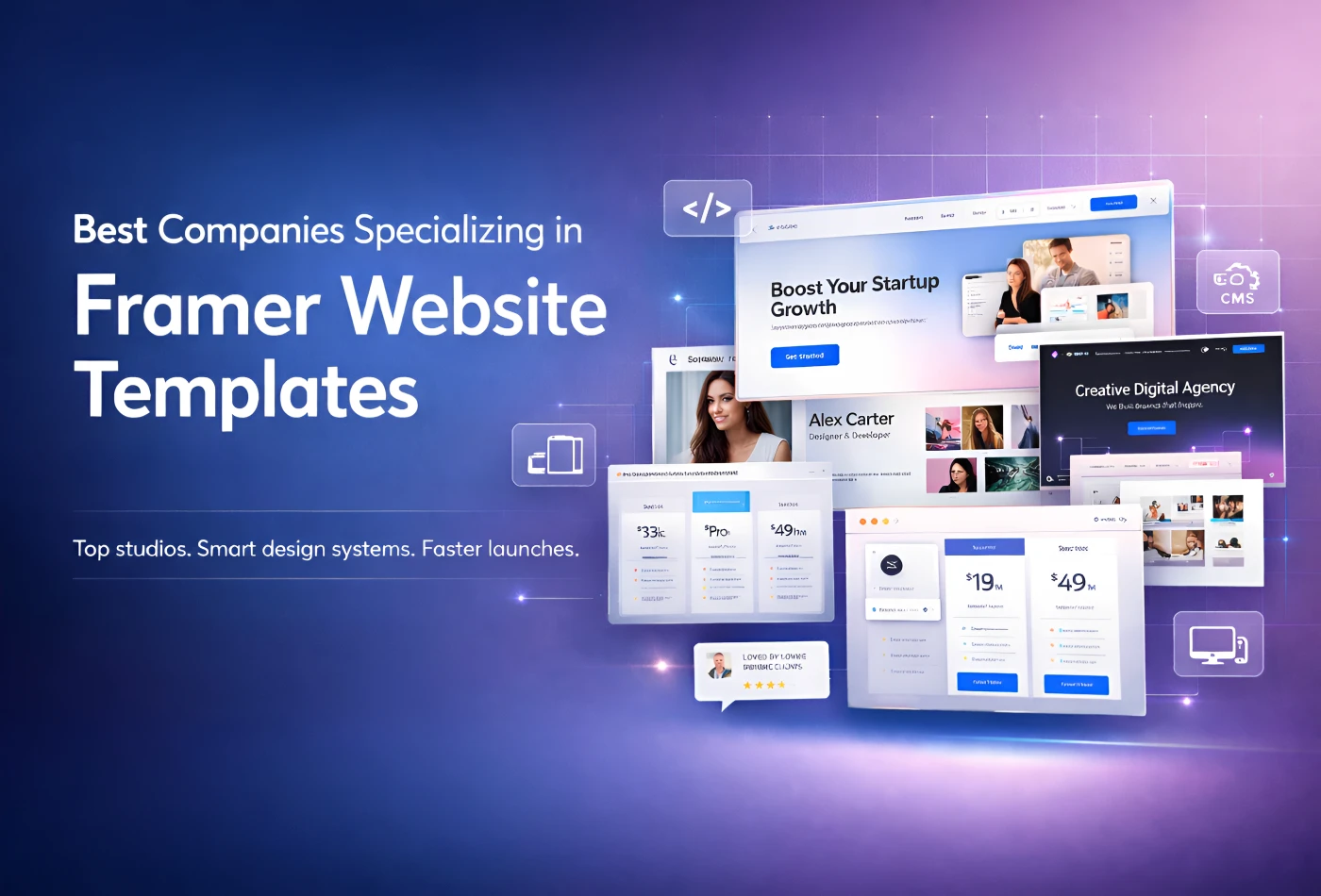
In 2026, Framer is one of the most popular no-code website builders. It has been particularly popular among designers, start-ups, and companies creating their sites fast or trying to create them more flexibly. So now, this is what many organizations concentrate on, specializing only in building Framer website templates.
These pre-built templates save the time it takes for anyone, from beginners to experts, to build websites because they come with pre-built pages, sections, and layouts that are already clean-looking and pro-level too. Today, the world has shifted away from the Framer templates. Some offer full website builders but on a bigger scale, while others are focused on easy-to-create landing pages or e-commerce sites.
This guide highlights the top companies that are strictly using Framer templates, what each has to offer, and helps new users gain perspective on which is right for them, their budget, and ability, without confusion or complicated explanation.
Top Framer Template Companies to Know in 2026
Below are 5 companies that work with Framer website templates. Each specializes in creating pre-built designs that can help users build websites faster without coding. Some provide extensive template libraries, while others focus on clean design systems, business websites, or beginner-friendly templates. These companies specialize in catering to various use cases like personal portfolios, startup landing pages, agency sites, and client projects.
1. FramerBite
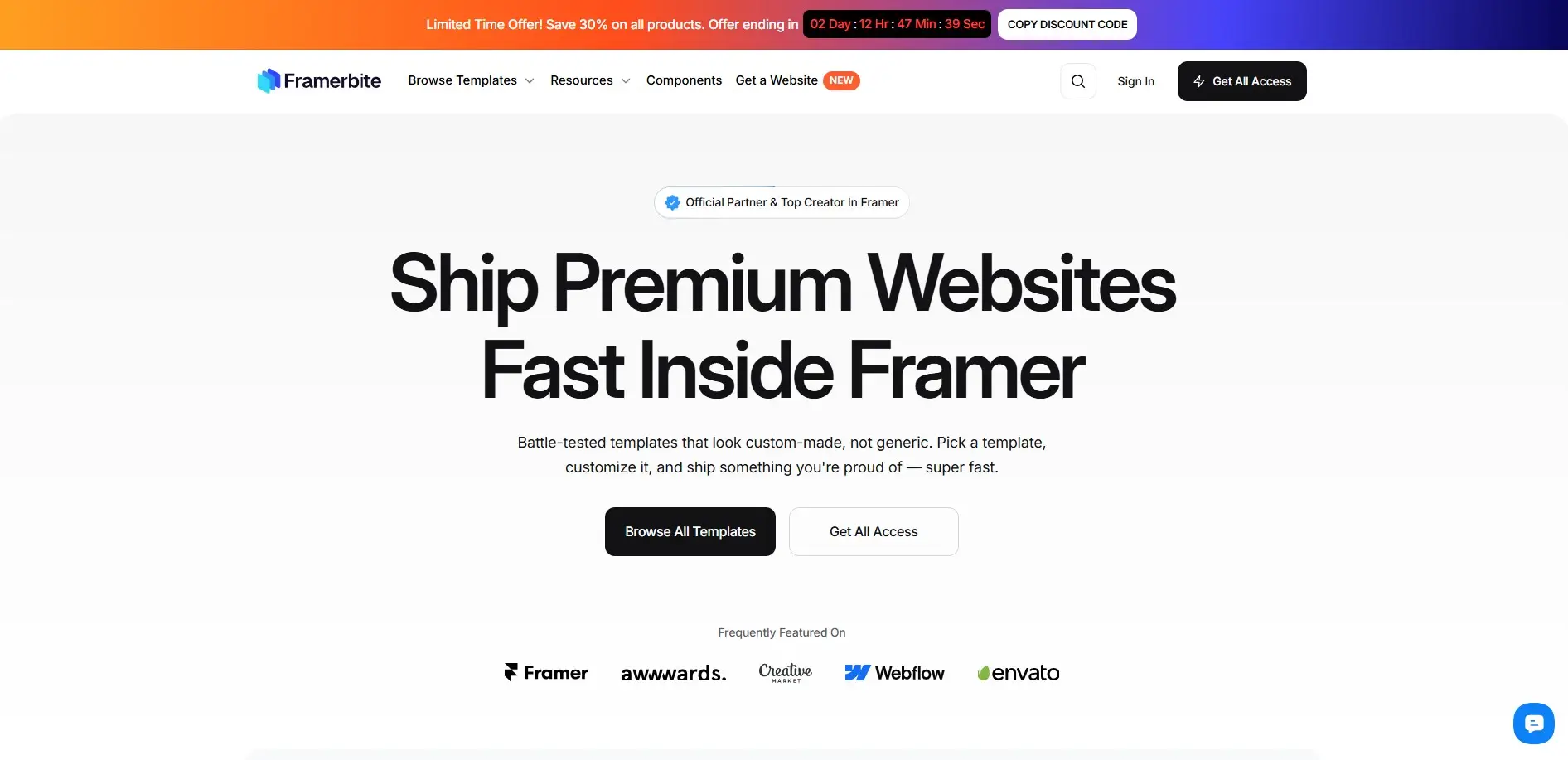
FramerBite is a top premium template studio for Framer users. It's renowned for its huge library of pre-made design blocks, which makes it a great choice if you want to get a site looking pro as quickly as possible. Perfect for startups, SaaS teams, and agencies. No matter if you're a beginner or an experienced designer, it's the best dedicated template provider company for quality and variety.
Template Range & Use Cases
FramerBite has 213+ templates in 35+ categories, including SaaS and Startup, agency portfolios, landing pages, e-commerce shops, blogs and one-pagers. It comes with 1800+ pre-built pages, making it ideal for founders launching MVPs, marketers building sales pages, or even teams who need a quick site for a client.
From AI tools to fintech apps, it caters best for startups, with niche-specific layouts that feel custom-made and avoid weeks of design time.
Design Quality & Structure
These are beautiful templates, looking very modern with a clean UI, fully responsive on any screen size, nice animation, and smart CMS setup. Components are neatly organized for easy scaling. Also, Figma files match perfectly for tweaks.
Customization & Flexibility
Super easy for beginners: drag-and-drop sections like heroes or pricing tables. Pros get full control with override. Modular parts make it great for client work or reuse across projects without starting over.
Pricing & Licensing Model
FramerBite offers both free and paid options. One-time buyers for $159 for 12 months or $249 lifetime access to everything. Unlimited commercial use, resale to clients, no subscriptions or hidden limits, it's priced right and built to perform. There’s a commercial license included with most templates, so you can use them in client projects at no hidden cost.
Updates & Maintenance
FramerBite regularly updates its templates to keep them compatible with the latest Framer features. Weekly new templates and lifetime free updates keep everything fresh. Always matching the latest Framer features like a better CMS or animations, so your sites stay fast and reliable long-term.
Best Fit For
FramerBite is ideal for both newcomers and pros alike, as well as small business owners who need a professional website fast.
It’s also great for freelancers and agencies who build several websites at speed that they need templates for. If you need a simple, clean design that’s easy to edit, FramerBite is hard to beat.
2. Frameblox
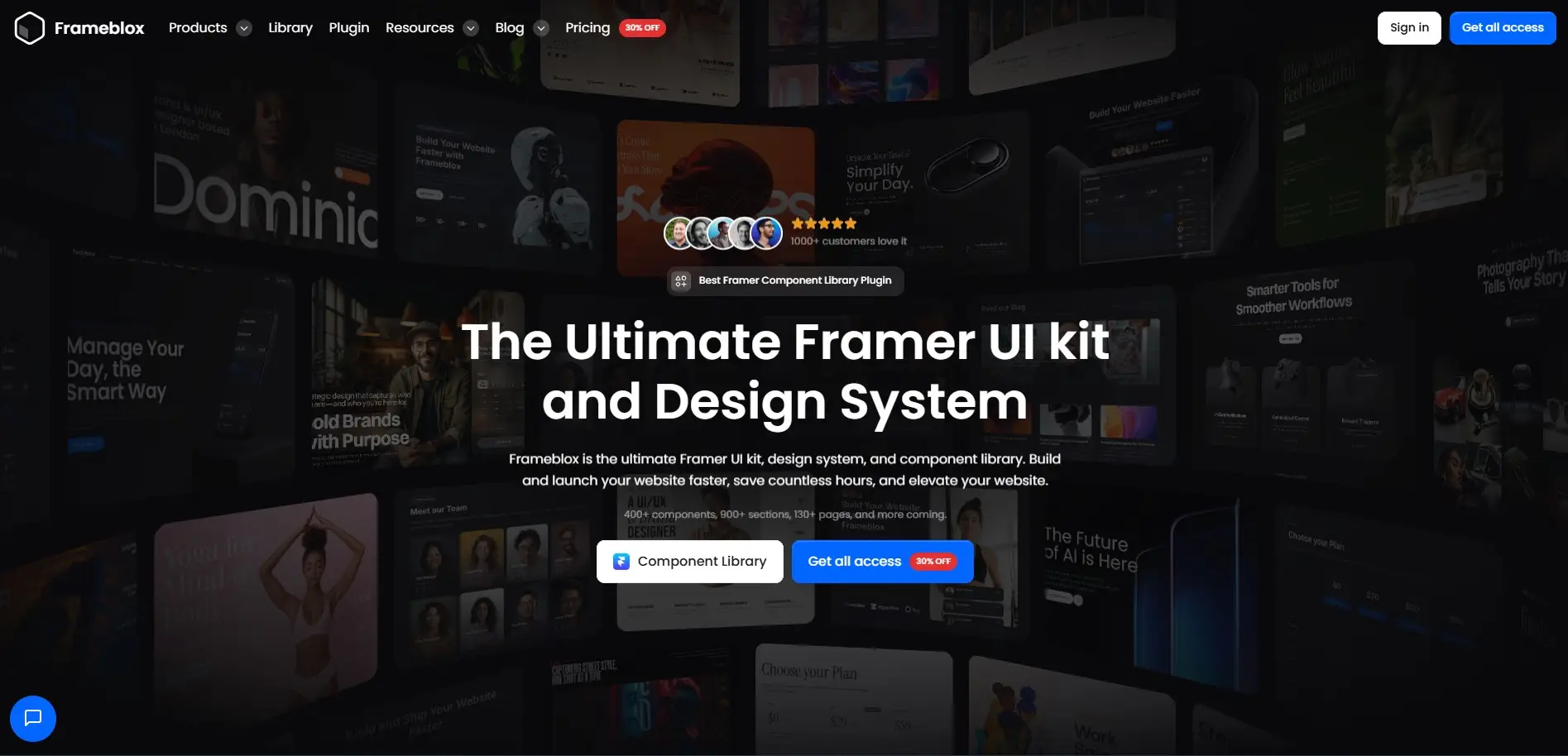
Frameblox is a Framer-only template provider that focuses on building complete website systems, not just single pages. Rather than single-use templates, Frameblox gets you a library of reusable templates, sections, and UI components designed to work in cooperation. You can then easily create pages fast because you have a group of blocks that are already styled to complement each other.
This company is designed for people who want a consistent design across multiple pages and projects. Their templates cover many website types, including business sites, portfolios, landing pages, and SaaS pages. They also provide a strong component collection, like buttons, cards, navigation, and pricing sections.
Visual Style & Build Quality
Frameblox templates look modern and simple, with clean spacing and balanced layouts. The structure is consistent across all pages, which helps keep your site organized. Components are built with real website logic, so sections fit well and look professional when combined.
How Easy It Is to Edit
Frameblox is built for easy editing. You don’t need to know how to code. You can customize images, text, color, and font. The templates have reusable blocks, which you can build new pages from by simply copying sections into your project. This is a time saver and helps the design to be consistent. First, the API is easy because things have already been organized. More advanced users will like how it provides greater control. The system also helps you easily build multi-page sites, since the styles and components remain coherent. All in all, Frameblox is just flexible enough for newbies and powerful enough for designers of many sites.
Cost & Usage Rules
This company typically sells templates through a one-time purchase or membership plan. The price is per access level and number of users. Commercial use is included in most plans, so you can use the templates as part of your client work. The licensing is easy and beginner-friendly.
Updates, Support, and New Releases
Frameblox is constantly sharing new designs with you so that your library continues to get fresh and relevant. The updates ensure that it is compatible with the new Framer features and design styles. It also updates and enhances templates with existing templates, based on user feedback. In other words, your template won’t be outdated in a couple of months. Frameblox frequently includes new page layouts, such as blogs, pricing, and portfolio sections, which add to the value over time. There is help if you get stuck or need direction, and this can be particularly useful for beginners.
It is best for people who want a full design system instead of a single template. It is ideal for designers, agencies, and freelancers building multiple websites. Beginners also benefit from it because it provides organized blocks and easy editing. If you want a consistent, scaleable design, Frameblox fits well.
3. Wize Templates
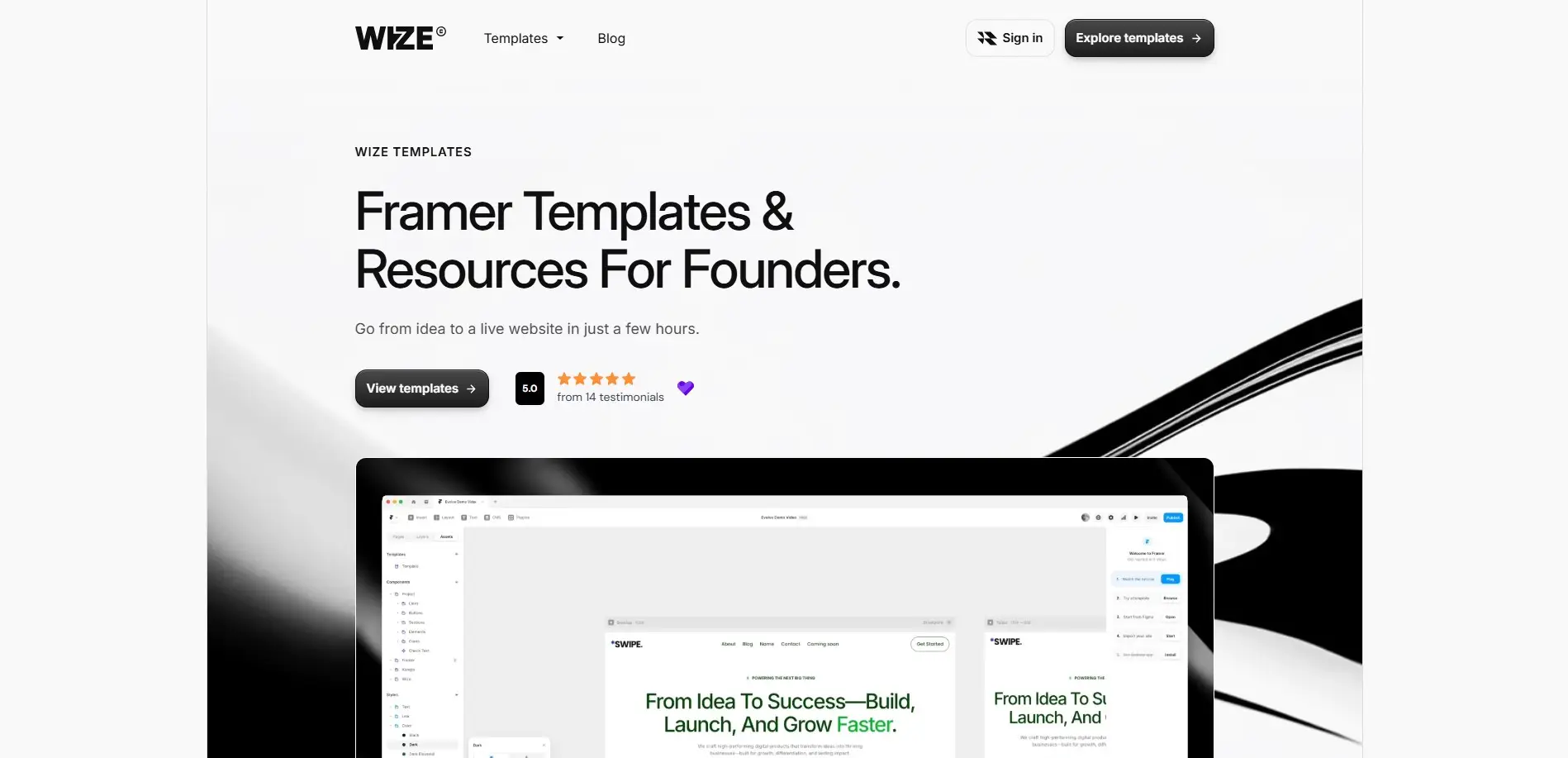
Wize Templates is a company that creates Framer website templates designed to help people launch professional websites quickly and easily. Their focus is on building templates specifically for Framer, so every design works smoothly with Framer’s editor and tools. Wize Templates is an extensive collection with products for everything from business landing pages to agency sites, and niche-oriented options such as SaaS or portfolio websites.
Visual Style and Template Build
Wize Templates look clean and modern, with clear text hierarchy and layouts as well as being fully responsive. The pages are organized, and the content flows naturally, making the site easier to read. In addition, many templates come with helpful sections such as pricing, features, and contact forms.
Editing and Flexibility
Templates are designed to be user-friendly, no coding required! When you add a template to your Framer project, from the Editor, click on the text, images, colors, and sections to easily edit them. Wize Templates also include easy-to-use video tutorials on how to edit each and every part of the design, which is useful for beginners.
Cost and Licensing
They sells individual Framer templates at set prices, often starting around $30 and going up to around $99 for larger or more complex designs. Each purchase typically includes the template files and access to tutorial guides. Templates generally allow commercial use, so you can use them for your own business or client projects.
Updated templates and Ongoing Support
Wize Templates regularly adds new template designs to its collection, expanding the options for users and keeping up with design trends. Most templates include access to instructional video and novice guide content that enables newcomers to learn Framer while actually making a live Website. Such directions are especially helpful if you are brand-new to the platform.
Ideal Users and Use Cases
Wize Templates is best for people who want fast results with beginner-friendly help. It suits freelancers, small business owners, and founders who need a professional-looking site without custom design work. If you want video guidance and simple editing steps, Wize Templates makes Framer websites easier to build.
4. FramerDevs
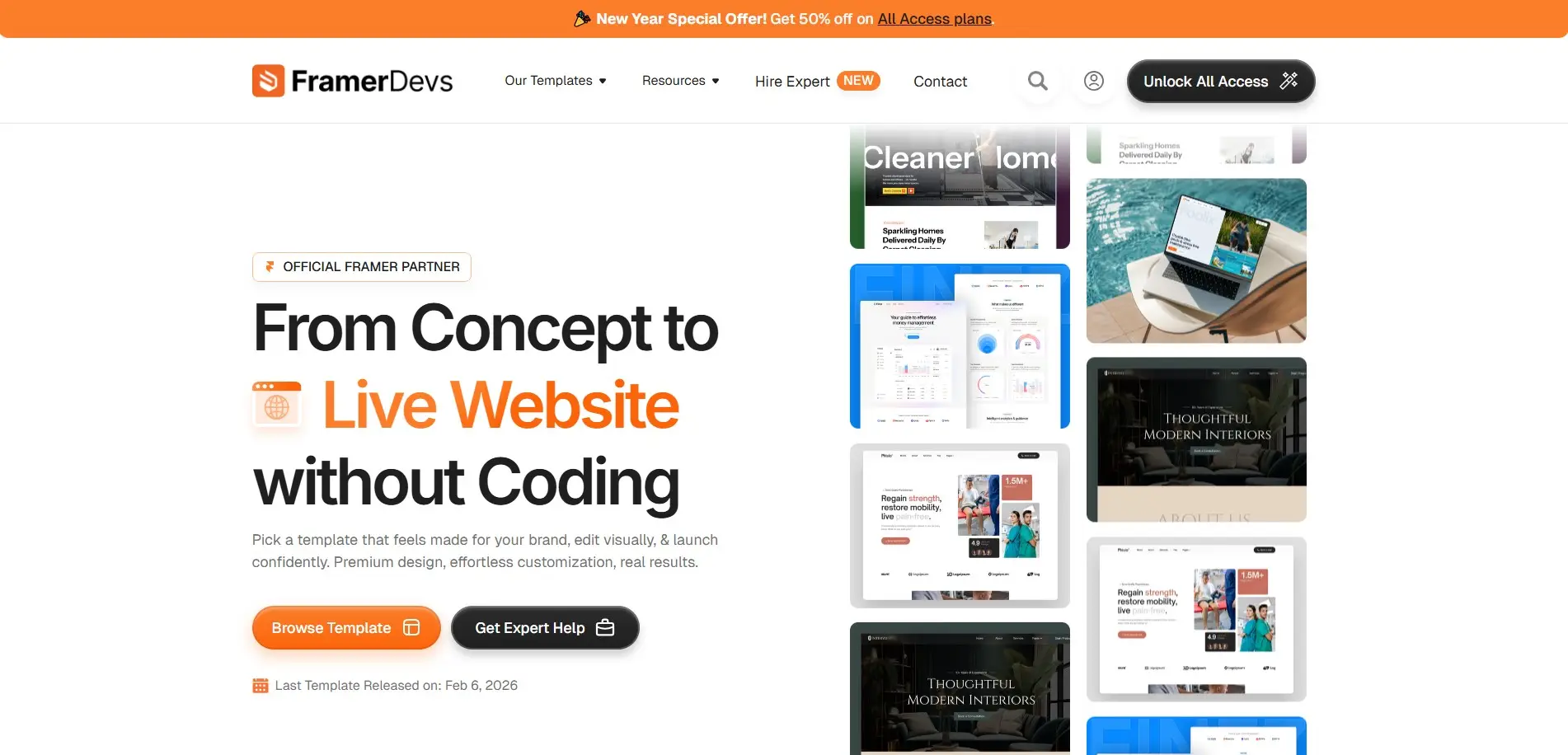
FramerDevs is a company focused on building ready-to-use website templates created specifically for the Framer platform. The site offers a large collection of both free and paid templates covering many website types, such as business, agency, SaaS, portfolio, services, and niche industry pages. Users can pick a design that fits their project, then edit content visually in Framer without writing code. It promotes designs that are responsive and modern, aiming to help people build live sites faster and more confidently.
They also present themselves as an official partner and trusted source for Framer template solutions online, with thousands of users who rely on their products for quick site builds. The company lists many templates by category and highlights features like clean UI, mobile friendliness, and no-code editing, so beginners and experienced designers can both benefit from ready designs. FramerDevs also provides offers like access packs that include multiple templates under one plan.
Visual Strengths & Layout Style
Templates from FramerDevs have clean, modern visuals with clear content blocks and responsive layouts. Pages include structured sections like hero headers, service areas, feature highlights, contact layouts, and more. The designs focus on usability and readability across screens.
Editing Experience & Flexibility
FramerDevs templates are designed to be easy-to-edit using Framer’s visual editor. Once you add it to your project, you can change the text and images, colors and brand elements by clicking on content block and simply typing or uploading your own.
And since the templates are built with Framer elements, you can do it all without technical skills; just drag, drop, and visually tweak. For those who want a little more control, you can adjust spacing, navigation, layout order, and other properties your way.
Some plans come with access to Figma design files so you can prototype or plan changes before making them. Templates are reusable across projects, and the wide array allows you to mix and match styles on the fly.
Cost & License Overview
FramerDevs sells templates individually often around $29 each and also offers all-access packs where you get dozens of templates with one purchase. Plans can include free templates plus a one-time payment option for premium access. Most licenses allow you to use templates on multiple projects, including commercial work.
Keeping Templates Updated
FramerDevs regularly adds new templates to its library, expanding the range of options for users. They showcase recent releases on their site, meaning you get access to designs that reflect current layout and UI trends.
Support and guidance are available if you run into issues customizing a template in Framer, which can be helpful for beginners. Additionally, customers can sign up for updates or discount offers, keeping them informed when new templates or features become available.
It is a good choice for people who want a wide selection of ready-made Framer templates with flexible editing and modern layouts. It fits beginners learning Framer, freelancers building sites for clients, and small businesses that need a quick launch without custom coding.
5. Canvas Supply
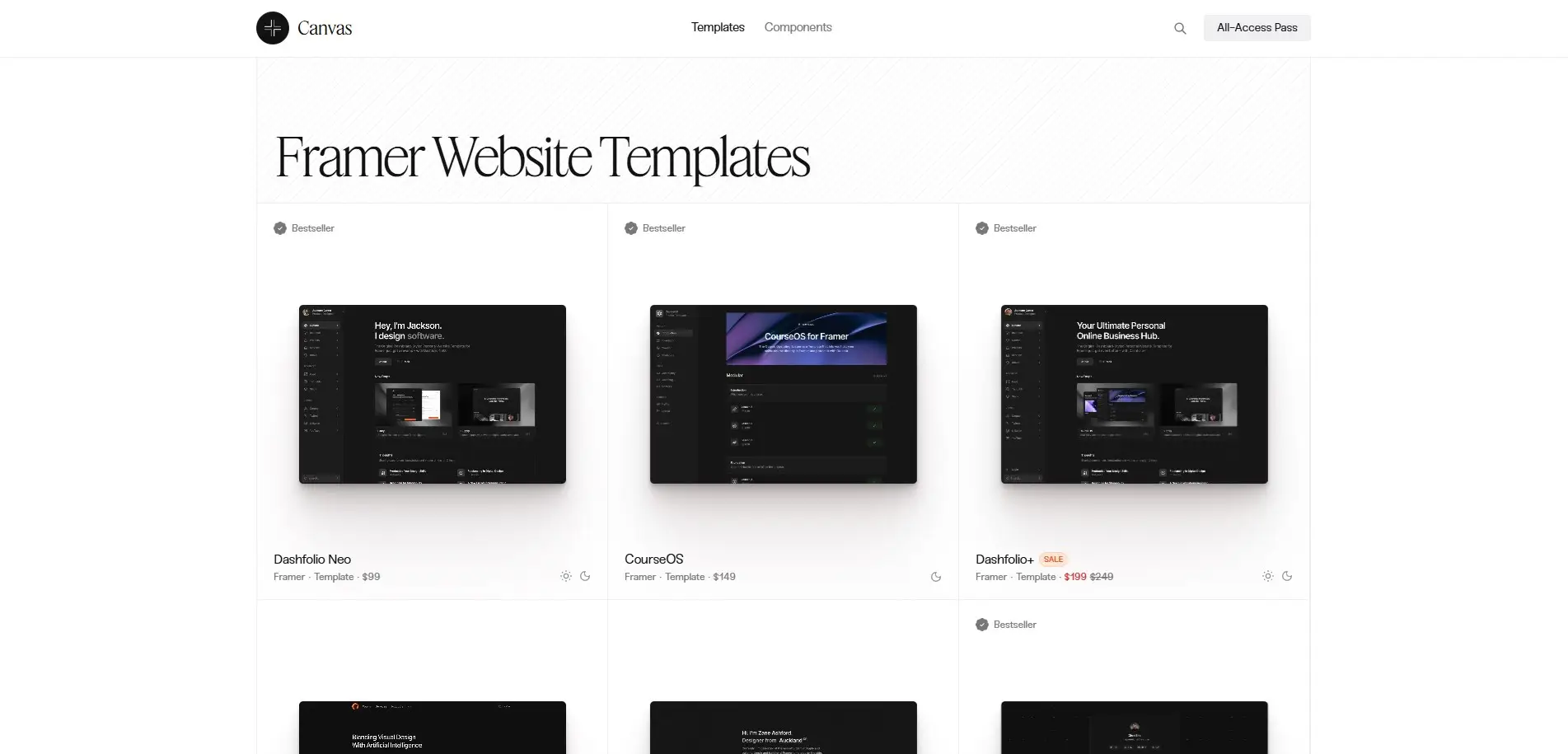
Canvas Supply is a dedicated Framer template creator that builds premium website templates and UI components designed specifically for the Framer platform. Their focus is on providing visually clean, minimalist, and modern layouts that help users launch sites without writing code. Canvas Supply offers a variety of templates, including portfolio sites, business templates, SaaS landing pages, blog designs, and eCommerce solutions like the Supply store template.
Templates are generally well organized and built with thoughtful attention to layout and responsive behavior. Canvas Supply aims to help creators and businesses get online faster with high-quality Framer templates and components.
Style and Structural Notes
Canvas Supply templates have a minimal yet polished design, with clear visual hierarchy and spacing. Pages are structured into logical sections like hero areas, feature showcases, and contact blocks, which help make content easy to follow. Most templates also support light and dark modes by default.
How Easy It Is to Edit
Canvas Supply templates are built for beginner-friendly editing inside the Framer visual editor. Once a template is added to your project, you can update text, images, and colors simply by clicking and typing. Sections and components are designed to be modular, so you can rearrange or swap pieces without breaking the overall layout. Overall, Canvas Supply designs strike a balance between simple edits for newcomers and the ability for more experienced users to fine-tune layouts.
Pricing & Licensing Basics
Canvas Supply templates are sold individually, typically with one-time purchase prices that vary by complexity. Some templates may be priced around $49 to $199 or more, depending on features and page count. Licenses generally include the right to use designs in personal or commercial projects.
Support and Template Updates
Canvas Supply continues to expand its template offerings with new designs and updates over time. Customers often receive announcements about new template releases, special offers, and early access to new products. While Canvas Supply does not have a public changelog for every template.
Support is available for buyers who need help with installing or editing templates, which is useful for beginners who are still learning Framer’s tools. The inclusion of UI components in addition to full templates means that users can update and extend projects as needed without starting over.
Who Canvas Supply Works Best For?
Canvas Supply is ideal for people who want clean, modern Framer templates with easy editing and flexible layout options. It’s great for freelancers, solopreneurs, and small teams who want professional websites without coding. Beginners and more experienced Framer users alike will find value in the modular design and template variety.
Why FramerBite Is Different from Other Companies?
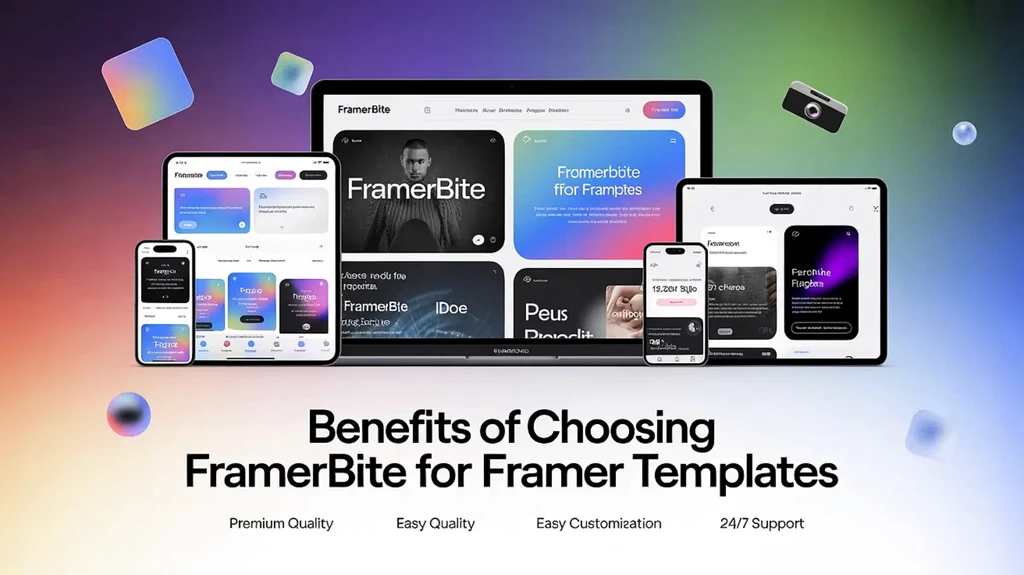
Before you choose a Framer template company, it helps to understand what makes one provider different from another. While many companies offer high-quality templates, FramerBite stands out for its deeper template library, strong design systems, and ongoing updates. The next section explains the key reasons why FramerBite is often considered a top choice for both beginners and professionals.
Bigger Template Library and More Depth
FramerBite offers a larger collection of templates compared to many other Framer template companies. You can find a wide variety of website types, including landing pages, business sites, portfolios, and SaaS templates. This depth makes it easier to find a design that fits your exact needs.
Built Like a Design System or Reusable Components
FramerBite focuses on systems and reusable blocks. Templates come with pre-made sections and components that match each other, so your website stays consistent. You can copy and reuse sections easily, which saves time when building new pages.
Regular Updates and Better Pricing Options
FramerBite updates templates often to stay compatible with new Framer features and design trends. They also offer flexible pricing, including free templates, one-time purchases, and bundle options. Most templates come with commercial use rights, so you can use them for your own site or client projects.
Built for Real Businesses, Not Just Templates
What truly sets FramerBite apart is its deep focus on building websites that actually work for businesses and startups, not just good-looking layouts. FramerBite Studio has worked with 120+ clients and 40+ brands, with 27,000+ customers using its templates worldwide, proving real-world trust and performance. Their designs are shaped by hands-on experience across SaaS, AI tools, Web3, real estate, eCommerce, apps, and agency websites. So templates are built with conversion, clarity, and growth in mind.
With a conversion-first approach, fixed transparent pricing, unlimited revisions, and lightning-fast delivery, FramerBite bridges the gap between a template studio and a professional web team. You’re not just getting a design, you’re getting a system refined by millions of views, real client projects, and a skilled team that knows how to launch world-class websites fast.
Overall, FramerBite offers more templates, reusable systems, ongoing updates, and flexible pricing, making it a strong choice whether you are new to Framer or building sites regularly.
Final Words
There is no single ''best'' Framer template company for everyone. Each company has its own strengths. Some are better for beginners, some are better for designers, and others are better for agencies building many websites. The good news is that in 2026, Framer users have many high-quality options to choose from.
If you are new to Framer, look for templates that are easy to edit and come with clear layouts. Building websites often, a template library or design system may save you more time. By understanding how each company handles design quality, customization, pricing, and updates, you can make a better choice. A good Framer template can help you launch faster, look more professional, and feel more confident while building your website.
Looking for custom Framer websites beyond templates? Explore FramerBite Studio for done-for-you business and startup websites.
In 2026, Framer is one of the most popular no-code website builders. It has been particularly popular among designers, start-ups, and companies creating their sites fast or trying to create them more flexibly. So now, this is what many organizations concentrate on, specializing only in building Framer website templates.
These pre-built templates save the time it takes for anyone, from beginners to experts, to build websites because they come with pre-built pages, sections, and layouts that are already clean-looking and pro-level too. Today, the world has shifted away from the Framer templates. Some offer full website builders but on a bigger scale, while others are focused on easy-to-create landing pages or e-commerce sites.
This guide highlights the top companies that are strictly using Framer templates, what each has to offer, and helps new users gain perspective on which is right for them, their budget, and ability, without confusion or complicated explanation.
Top Framer Template Companies to Know in 2026
Below are 5 companies that work with Framer website templates. Each specializes in creating pre-built designs that can help users build websites faster without coding. Some provide extensive template libraries, while others focus on clean design systems, business websites, or beginner-friendly templates. These companies specialize in catering to various use cases like personal portfolios, startup landing pages, agency sites, and client projects.
1. FramerBite
FramerBite is a top premium template studio for Framer users. It's renowned for its huge library of pre-made design blocks, which makes it a great choice if you want to get a site looking pro as quickly as possible. Perfect for startups, SaaS teams, and agencies. No matter if you're a beginner or an experienced designer, it's the best dedicated template provider company for quality and variety.
Template Range & Use Cases
FramerBite has 213+ templates in 35+ categories, including SaaS and Startup, agency portfolios, landing pages, e-commerce shops, blogs and one-pagers. It comes with 1800+ pre-built pages, making it ideal for founders launching MVPs, marketers building sales pages, or even teams who need a quick site for a client.
From AI tools to fintech apps, it caters best for startups, with niche-specific layouts that feel custom-made and avoid weeks of design time.
Design Quality & Structure
These are beautiful templates, looking very modern with a clean UI, fully responsive on any screen size, nice animation, and smart CMS setup. Components are neatly organized for easy scaling. Also, Figma files match perfectly for tweaks.
Customization & Flexibility
Super easy for beginners: drag-and-drop sections like heroes or pricing tables. Pros get full control with override. Modular parts make it great for client work or reuse across projects without starting over.
Pricing & Licensing Model
FramerBite offers both free and paid options. One-time buyers for $159 for 12 months or $249 lifetime access to everything. Unlimited commercial use, resale to clients, no subscriptions or hidden limits, it's priced right and built to perform. There’s a commercial license included with most templates, so you can use them in client projects at no hidden cost.
Updates & Maintenance
FramerBite regularly updates its templates to keep them compatible with the latest Framer features. Weekly new templates and lifetime free updates keep everything fresh. Always matching the latest Framer features like a better CMS or animations, so your sites stay fast and reliable long-term.
Best Fit For
FramerBite is ideal for both newcomers and pros alike, as well as small business owners who need a professional website fast.
It’s also great for freelancers and agencies who build several websites at speed that they need templates for. If you need a simple, clean design that’s easy to edit, FramerBite is hard to beat.
2. Frameblox
Frameblox is a Framer-only template provider that focuses on building complete website systems, not just single pages. Rather than single-use templates, Frameblox gets you a library of reusable templates, sections, and UI components designed to work in cooperation. You can then easily create pages fast because you have a group of blocks that are already styled to complement each other.
This company is designed for people who want a consistent design across multiple pages and projects. Their templates cover many website types, including business sites, portfolios, landing pages, and SaaS pages. They also provide a strong component collection, like buttons, cards, navigation, and pricing sections.
Visual Style & Build Quality
Frameblox templates look modern and simple, with clean spacing and balanced layouts. The structure is consistent across all pages, which helps keep your site organized. Components are built with real website logic, so sections fit well and look professional when combined.
How Easy It Is to Edit
Frameblox is built for easy editing. You don’t need to know how to code. You can customize images, text, color, and font. The templates have reusable blocks, which you can build new pages from by simply copying sections into your project. This is a time saver and helps the design to be consistent. First, the API is easy because things have already been organized. More advanced users will like how it provides greater control. The system also helps you easily build multi-page sites, since the styles and components remain coherent. All in all, Frameblox is just flexible enough for newbies and powerful enough for designers of many sites.
Cost & Usage Rules
This company typically sells templates through a one-time purchase or membership plan. The price is per access level and number of users. Commercial use is included in most plans, so you can use the templates as part of your client work. The licensing is easy and beginner-friendly.
Updates, Support, and New Releases
Frameblox is constantly sharing new designs with you so that your library continues to get fresh and relevant. The updates ensure that it is compatible with the new Framer features and design styles. It also updates and enhances templates with existing templates, based on user feedback. In other words, your template won’t be outdated in a couple of months. Frameblox frequently includes new page layouts, such as blogs, pricing, and portfolio sections, which add to the value over time. There is help if you get stuck or need direction, and this can be particularly useful for beginners.
It is best for people who want a full design system instead of a single template. It is ideal for designers, agencies, and freelancers building multiple websites. Beginners also benefit from it because it provides organized blocks and easy editing. If you want a consistent, scaleable design, Frameblox fits well.
3. Wize Templates
Wize Templates is a company that creates Framer website templates designed to help people launch professional websites quickly and easily. Their focus is on building templates specifically for Framer, so every design works smoothly with Framer’s editor and tools. Wize Templates is an extensive collection with products for everything from business landing pages to agency sites, and niche-oriented options such as SaaS or portfolio websites.
Visual Style and Template Build
Wize Templates look clean and modern, with clear text hierarchy and layouts as well as being fully responsive. The pages are organized, and the content flows naturally, making the site easier to read. In addition, many templates come with helpful sections such as pricing, features, and contact forms.
Editing and Flexibility
Templates are designed to be user-friendly, no coding required! When you add a template to your Framer project, from the Editor, click on the text, images, colors, and sections to easily edit them. Wize Templates also include easy-to-use video tutorials on how to edit each and every part of the design, which is useful for beginners.
Cost and Licensing
They sells individual Framer templates at set prices, often starting around $30 and going up to around $99 for larger or more complex designs. Each purchase typically includes the template files and access to tutorial guides. Templates generally allow commercial use, so you can use them for your own business or client projects.
Updated templates and Ongoing Support
Wize Templates regularly adds new template designs to its collection, expanding the options for users and keeping up with design trends. Most templates include access to instructional video and novice guide content that enables newcomers to learn Framer while actually making a live Website. Such directions are especially helpful if you are brand-new to the platform.
Ideal Users and Use Cases
Wize Templates is best for people who want fast results with beginner-friendly help. It suits freelancers, small business owners, and founders who need a professional-looking site without custom design work. If you want video guidance and simple editing steps, Wize Templates makes Framer websites easier to build.
4. FramerDevs
FramerDevs is a company focused on building ready-to-use website templates created specifically for the Framer platform. The site offers a large collection of both free and paid templates covering many website types, such as business, agency, SaaS, portfolio, services, and niche industry pages. Users can pick a design that fits their project, then edit content visually in Framer without writing code. It promotes designs that are responsive and modern, aiming to help people build live sites faster and more confidently.
They also present themselves as an official partner and trusted source for Framer template solutions online, with thousands of users who rely on their products for quick site builds. The company lists many templates by category and highlights features like clean UI, mobile friendliness, and no-code editing, so beginners and experienced designers can both benefit from ready designs. FramerDevs also provides offers like access packs that include multiple templates under one plan.
Visual Strengths & Layout Style
Templates from FramerDevs have clean, modern visuals with clear content blocks and responsive layouts. Pages include structured sections like hero headers, service areas, feature highlights, contact layouts, and more. The designs focus on usability and readability across screens.
Editing Experience & Flexibility
FramerDevs templates are designed to be easy-to-edit using Framer’s visual editor. Once you add it to your project, you can change the text and images, colors and brand elements by clicking on content block and simply typing or uploading your own.
And since the templates are built with Framer elements, you can do it all without technical skills; just drag, drop, and visually tweak. For those who want a little more control, you can adjust spacing, navigation, layout order, and other properties your way.
Some plans come with access to Figma design files so you can prototype or plan changes before making them. Templates are reusable across projects, and the wide array allows you to mix and match styles on the fly.
Cost & License Overview
FramerDevs sells templates individually often around $29 each and also offers all-access packs where you get dozens of templates with one purchase. Plans can include free templates plus a one-time payment option for premium access. Most licenses allow you to use templates on multiple projects, including commercial work.
Keeping Templates Updated
FramerDevs regularly adds new templates to its library, expanding the range of options for users. They showcase recent releases on their site, meaning you get access to designs that reflect current layout and UI trends.
Support and guidance are available if you run into issues customizing a template in Framer, which can be helpful for beginners. Additionally, customers can sign up for updates or discount offers, keeping them informed when new templates or features become available.
It is a good choice for people who want a wide selection of ready-made Framer templates with flexible editing and modern layouts. It fits beginners learning Framer, freelancers building sites for clients, and small businesses that need a quick launch without custom coding.
5. Canvas Supply
Canvas Supply is a dedicated Framer template creator that builds premium website templates and UI components designed specifically for the Framer platform. Their focus is on providing visually clean, minimalist, and modern layouts that help users launch sites without writing code. Canvas Supply offers a variety of templates, including portfolio sites, business templates, SaaS landing pages, blog designs, and eCommerce solutions like the Supply store template.
Templates are generally well organized and built with thoughtful attention to layout and responsive behavior. Canvas Supply aims to help creators and businesses get online faster with high-quality Framer templates and components.
Style and Structural Notes
Canvas Supply templates have a minimal yet polished design, with clear visual hierarchy and spacing. Pages are structured into logical sections like hero areas, feature showcases, and contact blocks, which help make content easy to follow. Most templates also support light and dark modes by default.
How Easy It Is to Edit
Canvas Supply templates are built for beginner-friendly editing inside the Framer visual editor. Once a template is added to your project, you can update text, images, and colors simply by clicking and typing. Sections and components are designed to be modular, so you can rearrange or swap pieces without breaking the overall layout. Overall, Canvas Supply designs strike a balance between simple edits for newcomers and the ability for more experienced users to fine-tune layouts.
Pricing & Licensing Basics
Canvas Supply templates are sold individually, typically with one-time purchase prices that vary by complexity. Some templates may be priced around $49 to $199 or more, depending on features and page count. Licenses generally include the right to use designs in personal or commercial projects.
Support and Template Updates
Canvas Supply continues to expand its template offerings with new designs and updates over time. Customers often receive announcements about new template releases, special offers, and early access to new products. While Canvas Supply does not have a public changelog for every template.
Support is available for buyers who need help with installing or editing templates, which is useful for beginners who are still learning Framer’s tools. The inclusion of UI components in addition to full templates means that users can update and extend projects as needed without starting over.
Who Canvas Supply Works Best For?
Canvas Supply is ideal for people who want clean, modern Framer templates with easy editing and flexible layout options. It’s great for freelancers, solopreneurs, and small teams who want professional websites without coding. Beginners and more experienced Framer users alike will find value in the modular design and template variety.
Why FramerBite Is Different from Other Companies?
Before you choose a Framer template company, it helps to understand what makes one provider different from another. While many companies offer high-quality templates, FramerBite stands out for its deeper template library, strong design systems, and ongoing updates. The next section explains the key reasons why FramerBite is often considered a top choice for both beginners and professionals.
Bigger Template Library and More Depth
FramerBite offers a larger collection of templates compared to many other Framer template companies. You can find a wide variety of website types, including landing pages, business sites, portfolios, and SaaS templates. This depth makes it easier to find a design that fits your exact needs.
Built Like a Design System or Reusable Components
FramerBite focuses on systems and reusable blocks. Templates come with pre-made sections and components that match each other, so your website stays consistent. You can copy and reuse sections easily, which saves time when building new pages.
Regular Updates and Better Pricing Options
FramerBite updates templates often to stay compatible with new Framer features and design trends. They also offer flexible pricing, including free templates, one-time purchases, and bundle options. Most templates come with commercial use rights, so you can use them for your own site or client projects.
Built for Real Businesses, Not Just Templates
What truly sets FramerBite apart is its deep focus on building websites that actually work for businesses and startups, not just good-looking layouts. FramerBite Studio has worked with 120+ clients and 40+ brands, with 27,000+ customers using its templates worldwide, proving real-world trust and performance. Their designs are shaped by hands-on experience across SaaS, AI tools, Web3, real estate, eCommerce, apps, and agency websites. So templates are built with conversion, clarity, and growth in mind.
With a conversion-first approach, fixed transparent pricing, unlimited revisions, and lightning-fast delivery, FramerBite bridges the gap between a template studio and a professional web team. You’re not just getting a design, you’re getting a system refined by millions of views, real client projects, and a skilled team that knows how to launch world-class websites fast.
Overall, FramerBite offers more templates, reusable systems, ongoing updates, and flexible pricing, making it a strong choice whether you are new to Framer or building sites regularly.
Final Words
There is no single ''best'' Framer template company for everyone. Each company has its own strengths. Some are better for beginners, some are better for designers, and others are better for agencies building many websites. The good news is that in 2026, Framer users have many high-quality options to choose from.
If you are new to Framer, look for templates that are easy to edit and come with clear layouts. Building websites often, a template library or design system may save you more time. By understanding how each company handles design quality, customization, pricing, and updates, you can make a better choice. A good Framer template can help you launch faster, look more professional, and feel more confident while building your website.
Looking for custom Framer websites beyond templates? Explore FramerBite Studio for done-for-you business and startup websites.

Read more articles
Feb 28, 2026
Best Framer Templates with Parallax Scrolling
Feb 28, 2026
Best Framer Templates with Parallax Scrolling
Feb 22, 2026
Framer Canvas: Design Without Limits
Feb 22, 2026
Framer Canvas: Design Without Limits
Feb 17, 2026
Framer Partner Program | Opportunities for Designers to Earn More, Get Clients, and Build Passive Income
Feb 17, 2026
Framer Partner Program | Opportunities for Designers to Earn More, Get Clients, and Build Passive Income
Get exclusive 10% discount on your next purchase.
We will send the discount code immediately in your inbox.

Templates
Copyright © 2026 FramerBite, A Part of Creetfy LLC. All Rights Reserved
Follow us on Twitter
Get exclusive 10% discount on your next purchase.
We will send the discount code immediately in your inbox.
Templates
Copyright © 2026 FramerBite, A Part of Creetfy LLC. All Rights Reserved
Follow us on Twitter
Get exclusive 10% discount on your next purchase.
We will send the discount code immediately in your inbox.
Templates
Copyright © 2026 FramerBite, A Part of Creetfy LLC. All Rights Reserved
Follow us on Twitter
Get exclusive 10% discount on your next purchase.
We will send the discount code immediately in your inbox.
Templates
Copyright © 2026 FramerBite, A Part of Creetfy LLC. All Rights Reserved
Follow us on Twitter