🎉 Enjoy 50% discount on All Access plans in this Cyber Monday. Ends in

08 d 15 hr 43 min 52 sec

🎉 Enjoy 50% discount on All Access plans in this Cyber Monday. Ends in

08 d 15 hr 43 min 52 sec

🎉 Enjoy 50% discount on All Access plans in this Cyber Monday. Ends in

08 d 15 hr 43 min 52 sec

🎉 Enjoy 50% discount on All Access plans in this Cyber Monday. Ends in

08 d 15 hr 43 min 52 sec

Framer AI Beginner’s Guide: How Artificial Intelligence Is Transforming Modern Web Design

Last Updated on:

Nov 24, 2025

Nov 24, 2025

Nov 24, 2025

Nov 24, 2025

Framer AI Beginner’s Guide

Through this tech revolution, there’s one standout platform you need to know: Framer AI. It's helping beginners and pros craft well-designed and actually working websites in record time.

There has been a revolution over the past 10 years in the world of web design, and much of this change has been in technology, including both CDN and AI. Now, thanks to AI-powered tools, designers are experiencing a transformation in their creative workflow that automates the control they previously did manually and repetitiously. 

Latest Data on AI Users in Web Design

2025 sees designers keep up a fast pace when it comes to the acceptance of AI, establishing it permanently as a pillar of creativity. In the most recent Adobe Creative Trends Report, 81% of creatives now regularly use at least one AI-powered tool, compared with 74% in 2023. This universal acceptance has been followed by market growth. According to Statista, the global AI design tool market will cross $9.7 billion in 2025, with strong growth at agencies, freelancers, and small businesses worldwide.

What Is Framer AI?
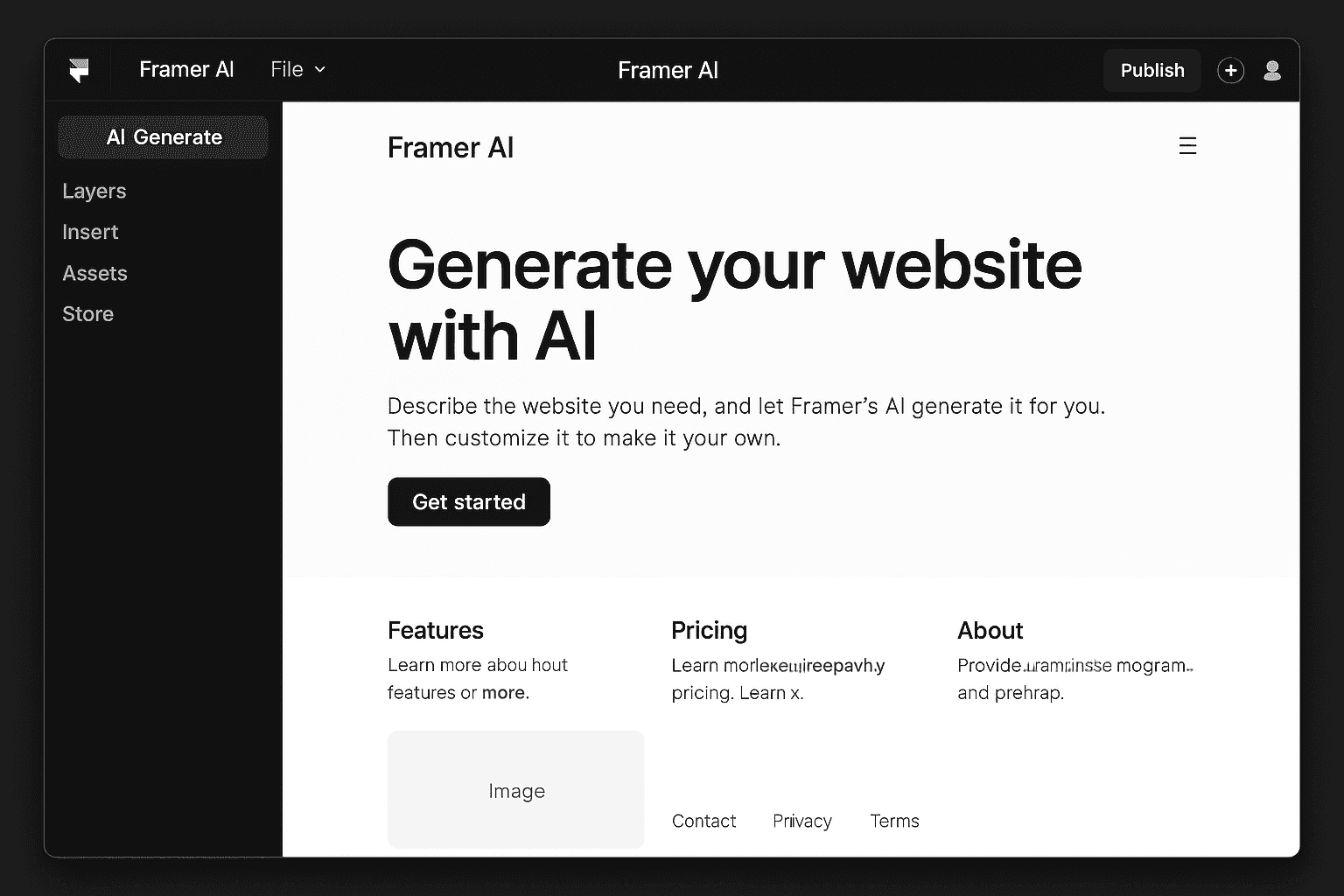
Framer AI is a future-forward extension of the Framer design-panel service already launched in 2023, using artificial intelligence to automate and enhance the process of designing for the website. Once popular for its interactive prototyping powers, Framer can now integrate site building into the mix, and AI is the next hot pool of innovation.

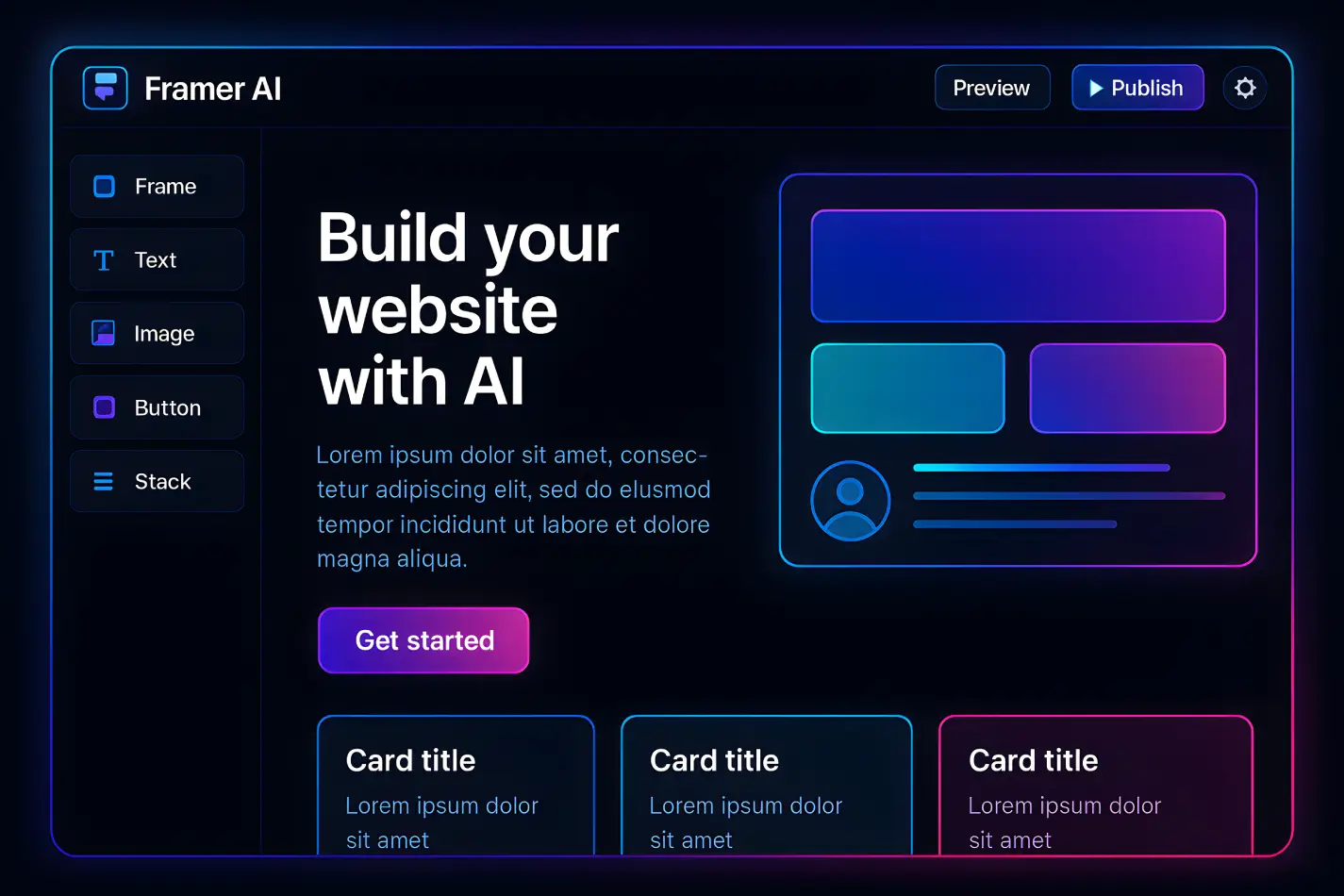
At the heart of Framer AI is its ability to generate entire web pages or sites when you describe your idea in natural language. Type in a prompt, something and Framer AI instantly delivers you a spot-on layout with related photos, color schemes, and sample text.

How does Framer AI compare with other tools that use AI?

Tools such as Wix ADI and Figma AI provides similar capabilities, which include automatically generated layouts and suggested content. While Wix ADI is designed for rapid website creation, Framer AI allows for further customization and interactive prototyping. For beginners, Framer AI is beginning-to-end workflow prompts to deploy are smoother than Figma's AI assistant.

The AI Engine behind Framer is trained using thousands of high-quality design samples, and in turn, the engine can output layouts and components that closely match current design trends and overlook usability standards.

How Framer AI Works: The Technology Behind It?

Behind the scenes, Framer AI is a powerful mix of natural language processing (NLP) and generative design models. Simply input a text prompt, and Framer AI will understand your meaning and present you with a beautiful interactive layout.

Here’s how it works:

  • Prompt Understanding: The AI reads a prompt you’ve given it, recognizes what it's about, and understands the tone, too.

  • Layout Generation: Framer AI generates your site structure headers, sections, navigation, and more, using its trained neural networks based on an extensive library of design patterns.

  • Polish: The system is opportunistic about style, tone of voice, and accessibility.

  • Content Fill: It automatically fills in the content, including sample text and appropriate stock images/illustrations.

  • Publish: Go live in one click and take your site to the masses.

Key Features of Framer AI for Beginners
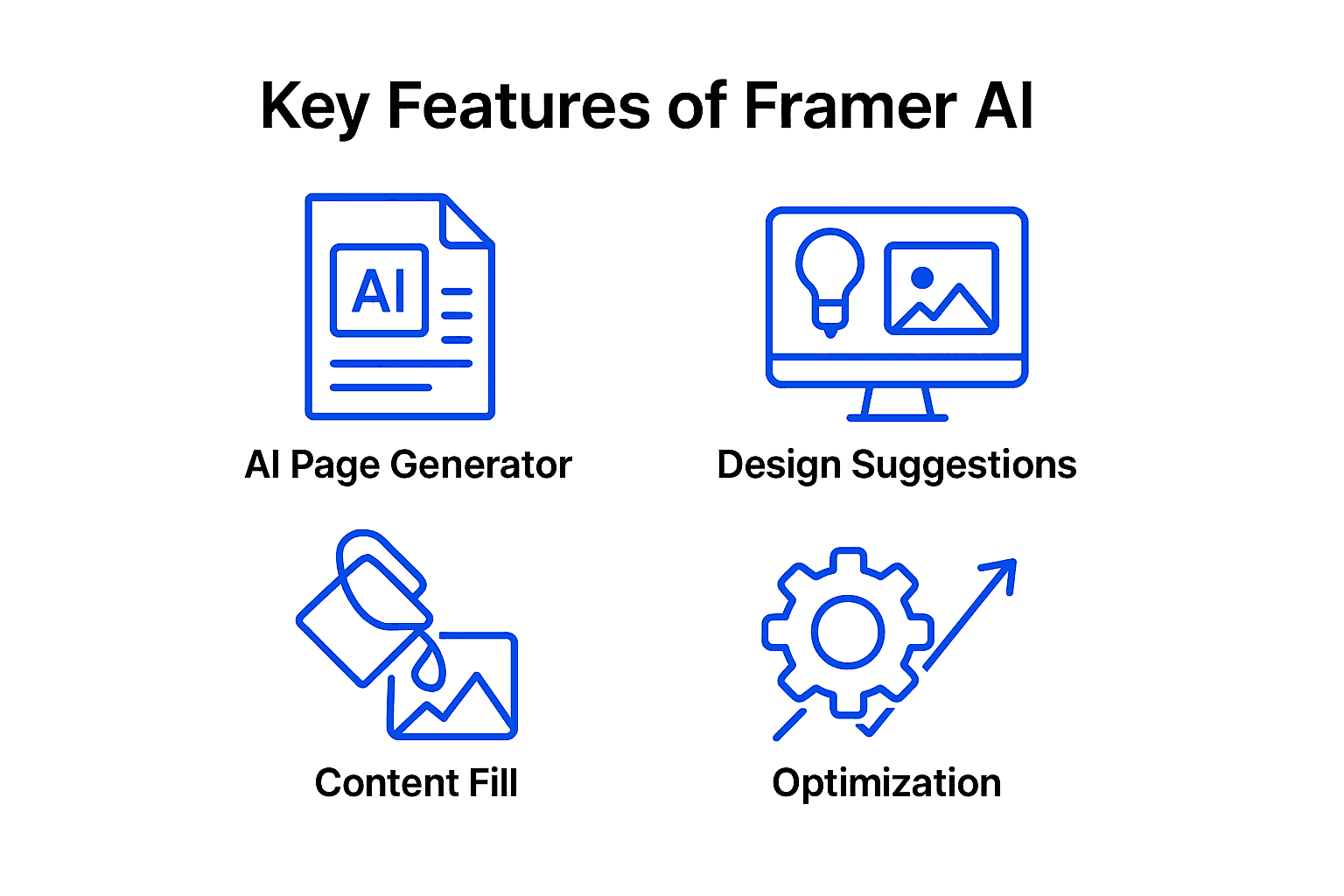
Framer AI makes website design easy, even if you’re not a coder or designer. Here’s what makes it so beginner friendly:

AI Page Generator

This is a tool that can help take your ideas from concepts to a full website layout. Just enter “personal blog website with modern look,” for instance, and Framer AI will generate a home page featuring a header, blog feed and about section like you would type them up yourself. It's a time saver and reduces layout creation by up to 80% compared to doing it manually.

AI Design Suggestions

Framer AI can take a look at your page and offer advice on how to make it look better. It might suggest perfecting the spacing, choosing a better color palette or revamping your typography. Designers who did so said that the tool made them 35% more satisfied because their sites were cleaner, and more refined. It’s like having a helpful design coach while you’re working.

AI Content Fill

It can literally take hours to write text or find images for your site. Framer AI addresses that by automatically populating text, photos, and even data-driven content. For instance a business landing page can have call-to-action, headlines and images in an instant. That way, you can concentrate on where your personal touch is needed.

AI Optimization

With Framer AI, it’s easy to ensure your site is SEO optimized and accessible. It can identify missing alt text, suggest meta descriptions, and recommend other ways to improve both search and accessibility. In many cases, users will see a 20% increase in their accessibility ratings. As a result, your website will not only look good, but it’ll function better for your visitors and search engines.

Benefits of Using Framer AI

In 2025, Framer AI is known as much for its speed as it is for being the catalyst to creativity and how it's opened up doors that have made web design inclusive to a whole new community of designers.

Productivity Boost

According to the recent report, designers working with AI-driven design tools such as Framer AI now build assets 54% faster on average than making elements from scratch. We've found that landing pages and single-page sites built with Framer AI save users up to 72% in time compared to the manual design and coding process.

Accessibility for Beginners

Framer AI just when it seems no other tools will be available for beginners, along comes Framer AI. The no-code, prompt-based interface of this platform means even the most tech-averse among us can begin making beautiful websites in mere minutes. This low learning curve makes all the difference for students, business owners and people who just want to get an online presence up fast without needing design or development skills as they did in the past.

Creative Freedom

Creativeness is also one of the major advantages, says industry research. As Framer AI is able to automate those kind of repetitive tasks like layout structuring, content filling and color palette choosing, teams save more time, being able to focus on ideation, iteration. According to the 2025 Statista Design Tools Insights report, 71% of designers now believe AI tools allow them to initiate projects more rapidly and work through a greater number of design options, which in turn helps support more innovative outcomes.

Framer AI is not just a tool for increasing efficiency, it’s revolutionizing what the creative possibilities of modern web design can look like.

Limitations and Ethical Considerations

While Framer AI and similar tools have revolutionized web design, recent 2025 research reminds us that these advancements come with important limitations and ethical considerations.

Design Intuition and Human Creativity

According to the Nielsen Norman Group’s 2025 UX and AI Report, AI continues to fall short in replicating human intuition and creativity. This is especially true when it comes to translating brand voice, crafting nuanced animations, or evoking emotional resonance through imagery and storytelling. In a global survey, 67% of designers reported that while AI-generated layouts save time, they still require manual refinement to achieve truly unique and memorable user experiences.

Data Privacy and Content Originality

Keeping data private and maintaining original content are also top concerns in 2025. As AI models train on vast datasets, often scraped from public sources, questions persist about the provenance of training data and the uniqueness of generated designs. 

Perspective from Design Leaders

Design thought leaders like John Maeda continue to stress the human role in the design process. As Maeda noted in a 2025 interview, “AI can suggest, but it can’t empathize. The designer’s role is to inject empathy, emotion, and ethics into the process.” Ultimately, the consensus across the design community is clear: while AI is a powerful tool for making design more efficient and effective, it must be guided by human judgment, creativity, and ethical responsibility.

How Beginners Can Get Started with Framer AI

Here’s a quick-start guide for beginners:

Step 1: Sign Up on Framer- Go to framer.com and create a free account.

Step 2: Access the Framer AI Workspace- Once logged in, click on “Create New” and select “AI Website” from the options.

Step 3: Enter Your First Text Prompt- In the prompt field, describe your site like “Minimalist portfolio for a Content writer”.

Step 4: Customize Layout and Elements- Framer AI generates a draft site. Use the drag-and-drop editor to tweak sections, colors, and content.

Step 5: Preview and Publish- Click “Preview” to see your live site. When ready, hit “Publish” to launch instantly.

Framer AI vs Traditional Design Process
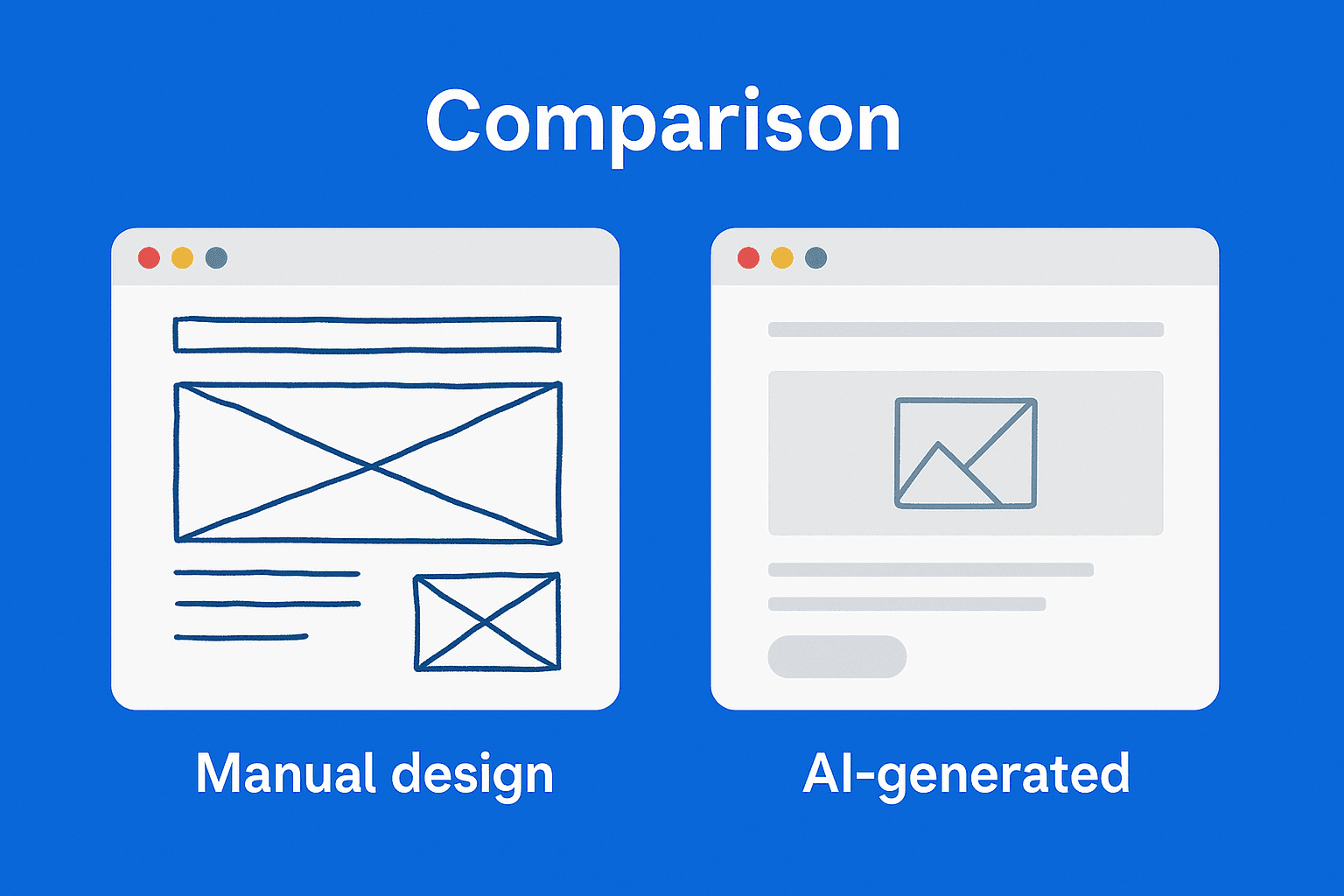
manual design vs ai generated design comparision

Design Steps

Traditional/Human

Framer AI

Idea

Brainstorm, sketch

Type a text prompt

Layout

Manual diagram

AI auto-generates layout

Content

Write, source images

AI generates/fills content

Prototyping

Interact with the user

Built-in, auto-interactive

Review

Iterative processes

Real-time AI suggestions

Publish

Export, code integration

One-click publish

Future of AI in Design: What’s Next for Framer AI

Artificial intelligence is revolutionizing the web design industry, and services such as Framer AI are leading the charge. AI is increasingly at the heart of the design system, allowing designers to not only produce whole websites and content but take decisions faster and with much greater efficiency. This transition equates to more automation and deeper personalization in all of our work.

Deeper AI Integration

Framer AI is heading in the direction of intelligent, context-aware tools. From basic prompts, users can generate full websites, and the AI will make design suggestions or rewrite content and adapt designs automatically. With every release, Framer is putting it at every designer’s fingertips to explore and iterate on color palettes, typefaces and layouts at AI-speed.

Automation in UX

AI is also increasingly automating how designs for user experiences (UX) are created. Soon, tools like Framer AI will be handling A/B testing, user journey mapping and personalization with very little in the way of manual effort. This allows designers to concentrate on creative problem-solving, while AI experiments with various versions and monitors user behavior in order to optimize performance in real time.

Upcoming Framer Features

Framer still has lots of AI-related improvements on its features. Among these are AI-generated animation recommendations, improved mobile responsiveness and enhanced analytics integration. Framer is also upping its content and layout-generation offerings, so that designers are able to whip up websites very quickly.

Preparing for AI-Assisted Careers

For newcomers to design, it is important to understand prompt engineering, keep the basics of design principles in mind and remain flexible. With AI doing the routine work, designers can focus on strategy, creativity and interpreting user needs. The best designers will bring technical skills together with empathy and big-picture thinking.

Human Touch

As AI advances rapidly, uniquely human creativity and empathy are key. Designers will use AI tools and steer the vision to make websites meaningful and usable. The future of design is a collaboration between intelligent technology and thoughtful human touch.

Summary

Framer AI is revolutionizing the way websites are made; it's now in reach for anyone with or without coding to create high-quality websites and a faster tool for professionals. And anyone can design, don’t have to know code, or designer. It’s also about creativity, and repetitive work is handed off to the AI, and free to concentrate on ideas and innovation. 

Are you ready to check out what website design looks like in the future? Give it a go, and try your first website with just one prompt, see where AI’s inspiration can take your creativity.

Through this tech revolution, there’s one standout platform you need to know: Framer AI. It's helping beginners and pros craft well-designed and actually working websites in record time.

There has been a revolution over the past 10 years in the world of web design, and much of this change has been in technology, including both CDN and AI. Now, thanks to AI-powered tools, designers are experiencing a transformation in their creative workflow that automates the control they previously did manually and repetitiously. 

Latest Data on AI Users in Web Design

2025 sees designers keep up a fast pace when it comes to the acceptance of AI, establishing it permanently as a pillar of creativity. In the most recent Adobe Creative Trends Report, 81% of creatives now regularly use at least one AI-powered tool, compared with 74% in 2023. This universal acceptance has been followed by market growth. According to Statista, the global AI design tool market will cross $9.7 billion in 2025, with strong growth at agencies, freelancers, and small businesses worldwide.

What Is Framer AI?

Framer AI is a future-forward extension of the Framer design-panel service already launched in 2023, using artificial intelligence to automate and enhance the process of designing for the website. Once popular for its interactive prototyping powers, Framer can now integrate site building into the mix, and AI is the next hot pool of innovation.

At the heart of Framer AI is its ability to generate entire web pages or sites when you describe your idea in natural language. Type in a prompt, something and Framer AI instantly delivers you a spot-on layout with related photos, color schemes, and sample text.

How does Framer AI compare with other tools that use AI?

Tools such as Wix ADI and Figma AI provides similar capabilities, which include automatically generated layouts and suggested content. While Wix ADI is designed for rapid website creation, Framer AI allows for further customization and interactive prototyping. For beginners, Framer AI is beginning-to-end workflow prompts to deploy are smoother than Figma's AI assistant.

The AI Engine behind Framer is trained using thousands of high-quality design samples, and in turn, the engine can output layouts and components that closely match current design trends and overlook usability standards.

How Framer AI Works: The Technology Behind It?

Behind the scenes, Framer AI is a powerful mix of natural language processing (NLP) and generative design models. Simply input a text prompt, and Framer AI will understand your meaning and present you with a beautiful interactive layout.

Here’s how it works:

  • Prompt Understanding: The AI reads a prompt you’ve given it, recognizes what it's about, and understands the tone, too.

  • Layout Generation: Framer AI generates your site structure headers, sections, navigation, and more, using its trained neural networks based on an extensive library of design patterns.

  • Polish: The system is opportunistic about style, tone of voice, and accessibility.

  • Content Fill: It automatically fills in the content, including sample text and appropriate stock images/illustrations.

  • Publish: Go live in one click and take your site to the masses.

Key Features of Framer AI for Beginners

Framer AI makes website design easy, even if you’re not a coder or designer. Here’s what makes it so beginner friendly:

AI Page Generator

This is a tool that can help take your ideas from concepts to a full website layout. Just enter “personal blog website with modern look,” for instance, and Framer AI will generate a home page featuring a header, blog feed and about section like you would type them up yourself. It's a time saver and reduces layout creation by up to 80% compared to doing it manually.

AI Design Suggestions

Framer AI can take a look at your page and offer advice on how to make it look better. It might suggest perfecting the spacing, choosing a better color palette or revamping your typography. Designers who did so said that the tool made them 35% more satisfied because their sites were cleaner, and more refined. It’s like having a helpful design coach while you’re working.

AI Content Fill

It can literally take hours to write text or find images for your site. Framer AI addresses that by automatically populating text, photos, and even data-driven content. For instance a business landing page can have call-to-action, headlines and images in an instant. That way, you can concentrate on where your personal touch is needed.

AI Optimization

With Framer AI, it’s easy to ensure your site is SEO optimized and accessible. It can identify missing alt text, suggest meta descriptions, and recommend other ways to improve both search and accessibility. In many cases, users will see a 20% increase in their accessibility ratings. As a result, your website will not only look good, but it’ll function better for your visitors and search engines.

Benefits of Using Framer AI

In 2025, Framer AI is known as much for its speed as it is for being the catalyst to creativity and how it's opened up doors that have made web design inclusive to a whole new community of designers.

Productivity Boost

According to the recent report, designers working with AI-driven design tools such as Framer AI now build assets 54% faster on average than making elements from scratch. We've found that landing pages and single-page sites built with Framer AI save users up to 72% in time compared to the manual design and coding process.

Accessibility for Beginners

Framer AI just when it seems no other tools will be available for beginners, along comes Framer AI. The no-code, prompt-based interface of this platform means even the most tech-averse among us can begin making beautiful websites in mere minutes. This low learning curve makes all the difference for students, business owners and people who just want to get an online presence up fast without needing design or development skills as they did in the past.

Creative Freedom

Creativeness is also one of the major advantages, says industry research. As Framer AI is able to automate those kind of repetitive tasks like layout structuring, content filling and color palette choosing, teams save more time, being able to focus on ideation, iteration. According to the 2025 Statista Design Tools Insights report, 71% of designers now believe AI tools allow them to initiate projects more rapidly and work through a greater number of design options, which in turn helps support more innovative outcomes.

Framer AI is not just a tool for increasing efficiency, it’s revolutionizing what the creative possibilities of modern web design can look like.

Limitations and Ethical Considerations

While Framer AI and similar tools have revolutionized web design, recent 2025 research reminds us that these advancements come with important limitations and ethical considerations.

Design Intuition and Human Creativity

According to the Nielsen Norman Group’s 2025 UX and AI Report, AI continues to fall short in replicating human intuition and creativity. This is especially true when it comes to translating brand voice, crafting nuanced animations, or evoking emotional resonance through imagery and storytelling. In a global survey, 67% of designers reported that while AI-generated layouts save time, they still require manual refinement to achieve truly unique and memorable user experiences.

Data Privacy and Content Originality

Keeping data private and maintaining original content are also top concerns in 2025. As AI models train on vast datasets, often scraped from public sources, questions persist about the provenance of training data and the uniqueness of generated designs. 

Perspective from Design Leaders

Design thought leaders like John Maeda continue to stress the human role in the design process. As Maeda noted in a 2025 interview, “AI can suggest, but it can’t empathize. The designer’s role is to inject empathy, emotion, and ethics into the process.” Ultimately, the consensus across the design community is clear: while AI is a powerful tool for making design more efficient and effective, it must be guided by human judgment, creativity, and ethical responsibility.

How Beginners Can Get Started with Framer AI

Here’s a quick-start guide for beginners:

Step 1: Sign Up on Framer- Go to framer.com and create a free account.

Step 2: Access the Framer AI Workspace- Once logged in, click on “Create New” and select “AI Website” from the options.

Step 3: Enter Your First Text Prompt- In the prompt field, describe your site like “Minimalist portfolio for a Content writer”.

Step 4: Customize Layout and Elements- Framer AI generates a draft site. Use the drag-and-drop editor to tweak sections, colors, and content.

Step 5: Preview and Publish- Click “Preview” to see your live site. When ready, hit “Publish” to launch instantly.

Framer AI vs Traditional Design Process

manual design vs ai generated design comparision

Design Steps

Traditional/Human

Framer AI

Idea

Brainstorm, sketch

Type a text prompt

Layout

Manual diagram

AI auto-generates layout

Content

Write, source images

AI generates/fills content

Prototyping

Interact with the user

Built-in, auto-interactive

Review

Iterative processes

Real-time AI suggestions

Publish

Export, code integration

One-click publish

Future of AI in Design: What’s Next for Framer AI

Artificial intelligence is revolutionizing the web design industry, and services such as Framer AI are leading the charge. AI is increasingly at the heart of the design system, allowing designers to not only produce whole websites and content but take decisions faster and with much greater efficiency. This transition equates to more automation and deeper personalization in all of our work.

Deeper AI Integration

Framer AI is heading in the direction of intelligent, context-aware tools. From basic prompts, users can generate full websites, and the AI will make design suggestions or rewrite content and adapt designs automatically. With every release, Framer is putting it at every designer’s fingertips to explore and iterate on color palettes, typefaces and layouts at AI-speed.

Automation in UX

AI is also increasingly automating how designs for user experiences (UX) are created. Soon, tools like Framer AI will be handling A/B testing, user journey mapping and personalization with very little in the way of manual effort. This allows designers to concentrate on creative problem-solving, while AI experiments with various versions and monitors user behavior in order to optimize performance in real time.

Upcoming Framer Features

Framer still has lots of AI-related improvements on its features. Among these are AI-generated animation recommendations, improved mobile responsiveness and enhanced analytics integration. Framer is also upping its content and layout-generation offerings, so that designers are able to whip up websites very quickly.

Preparing for AI-Assisted Careers

For newcomers to design, it is important to understand prompt engineering, keep the basics of design principles in mind and remain flexible. With AI doing the routine work, designers can focus on strategy, creativity and interpreting user needs. The best designers will bring technical skills together with empathy and big-picture thinking.

Human Touch

As AI advances rapidly, uniquely human creativity and empathy are key. Designers will use AI tools and steer the vision to make websites meaningful and usable. The future of design is a collaboration between intelligent technology and thoughtful human touch.

Summary

Framer AI is revolutionizing the way websites are made; it's now in reach for anyone with or without coding to create high-quality websites and a faster tool for professionals. And anyone can design, don’t have to know code, or designer. It’s also about creativity, and repetitive work is handed off to the AI, and free to concentrate on ideas and innovation. 

Are you ready to check out what website design looks like in the future? Give it a go, and try your first website with just one prompt, see where AI’s inspiration can take your creativity.

Through this tech revolution, there’s one standout platform you need to know: Framer AI. It's helping beginners and pros craft well-designed and actually working websites in record time.

There has been a revolution over the past 10 years in the world of web design, and much of this change has been in technology, including both CDN and AI. Now, thanks to AI-powered tools, designers are experiencing a transformation in their creative workflow that automates the control they previously did manually and repetitiously. 

Latest Data on AI Users in Web Design

2025 sees designers keep up a fast pace when it comes to the acceptance of AI, establishing it permanently as a pillar of creativity. In the most recent Adobe Creative Trends Report, 81% of creatives now regularly use at least one AI-powered tool, compared with 74% in 2023. This universal acceptance has been followed by market growth. According to Statista, the global AI design tool market will cross $9.7 billion in 2025, with strong growth at agencies, freelancers, and small businesses worldwide.

What Is Framer AI?

Framer AI is a future-forward extension of the Framer design-panel service already launched in 2023, using artificial intelligence to automate and enhance the process of designing for the website. Once popular for its interactive prototyping powers, Framer can now integrate site building into the mix, and AI is the next hot pool of innovation.

At the heart of Framer AI is its ability to generate entire web pages or sites when you describe your idea in natural language. Type in a prompt, something and Framer AI instantly delivers you a spot-on layout with related photos, color schemes, and sample text.

How does Framer AI compare with other tools that use AI?

Tools such as Wix ADI and Figma AI provides similar capabilities, which include automatically generated layouts and suggested content. While Wix ADI is designed for rapid website creation, Framer AI allows for further customization and interactive prototyping. For beginners, Framer AI is beginning-to-end workflow prompts to deploy are smoother than Figma's AI assistant.

The AI Engine behind Framer is trained using thousands of high-quality design samples, and in turn, the engine can output layouts and components that closely match current design trends and overlook usability standards.

How Framer AI Works: The Technology Behind It?

Behind the scenes, Framer AI is a powerful mix of natural language processing (NLP) and generative design models. Simply input a text prompt, and Framer AI will understand your meaning and present you with a beautiful interactive layout.

Here’s how it works:

  • Prompt Understanding: The AI reads a prompt you’ve given it, recognizes what it's about, and understands the tone, too.

  • Layout Generation: Framer AI generates your site structure headers, sections, navigation, and more, using its trained neural networks based on an extensive library of design patterns.

  • Polish: The system is opportunistic about style, tone of voice, and accessibility.

  • Content Fill: It automatically fills in the content, including sample text and appropriate stock images/illustrations.

  • Publish: Go live in one click and take your site to the masses.

Key Features of Framer AI for Beginners

Framer AI makes website design easy, even if you’re not a coder or designer. Here’s what makes it so beginner friendly:

AI Page Generator

This is a tool that can help take your ideas from concepts to a full website layout. Just enter “personal blog website with modern look,” for instance, and Framer AI will generate a home page featuring a header, blog feed and about section like you would type them up yourself. It's a time saver and reduces layout creation by up to 80% compared to doing it manually.

AI Design Suggestions

Framer AI can take a look at your page and offer advice on how to make it look better. It might suggest perfecting the spacing, choosing a better color palette or revamping your typography. Designers who did so said that the tool made them 35% more satisfied because their sites were cleaner, and more refined. It’s like having a helpful design coach while you’re working.

AI Content Fill

It can literally take hours to write text or find images for your site. Framer AI addresses that by automatically populating text, photos, and even data-driven content. For instance a business landing page can have call-to-action, headlines and images in an instant. That way, you can concentrate on where your personal touch is needed.

AI Optimization

With Framer AI, it’s easy to ensure your site is SEO optimized and accessible. It can identify missing alt text, suggest meta descriptions, and recommend other ways to improve both search and accessibility. In many cases, users will see a 20% increase in their accessibility ratings. As a result, your website will not only look good, but it’ll function better for your visitors and search engines.

Benefits of Using Framer AI

In 2025, Framer AI is known as much for its speed as it is for being the catalyst to creativity and how it's opened up doors that have made web design inclusive to a whole new community of designers.

Productivity Boost

According to the recent report, designers working with AI-driven design tools such as Framer AI now build assets 54% faster on average than making elements from scratch. We've found that landing pages and single-page sites built with Framer AI save users up to 72% in time compared to the manual design and coding process.

Accessibility for Beginners

Framer AI just when it seems no other tools will be available for beginners, along comes Framer AI. The no-code, prompt-based interface of this platform means even the most tech-averse among us can begin making beautiful websites in mere minutes. This low learning curve makes all the difference for students, business owners and people who just want to get an online presence up fast without needing design or development skills as they did in the past.

Creative Freedom

Creativeness is also one of the major advantages, says industry research. As Framer AI is able to automate those kind of repetitive tasks like layout structuring, content filling and color palette choosing, teams save more time, being able to focus on ideation, iteration. According to the 2025 Statista Design Tools Insights report, 71% of designers now believe AI tools allow them to initiate projects more rapidly and work through a greater number of design options, which in turn helps support more innovative outcomes.

Framer AI is not just a tool for increasing efficiency, it’s revolutionizing what the creative possibilities of modern web design can look like.

Limitations and Ethical Considerations

While Framer AI and similar tools have revolutionized web design, recent 2025 research reminds us that these advancements come with important limitations and ethical considerations.

Design Intuition and Human Creativity

According to the Nielsen Norman Group’s 2025 UX and AI Report, AI continues to fall short in replicating human intuition and creativity. This is especially true when it comes to translating brand voice, crafting nuanced animations, or evoking emotional resonance through imagery and storytelling. In a global survey, 67% of designers reported that while AI-generated layouts save time, they still require manual refinement to achieve truly unique and memorable user experiences.

Data Privacy and Content Originality

Keeping data private and maintaining original content are also top concerns in 2025. As AI models train on vast datasets, often scraped from public sources, questions persist about the provenance of training data and the uniqueness of generated designs. 

Perspective from Design Leaders

Design thought leaders like John Maeda continue to stress the human role in the design process. As Maeda noted in a 2025 interview, “AI can suggest, but it can’t empathize. The designer’s role is to inject empathy, emotion, and ethics into the process.” Ultimately, the consensus across the design community is clear: while AI is a powerful tool for making design more efficient and effective, it must be guided by human judgment, creativity, and ethical responsibility.

How Beginners Can Get Started with Framer AI

Here’s a quick-start guide for beginners:

Step 1: Sign Up on Framer- Go to framer.com and create a free account.

Step 2: Access the Framer AI Workspace- Once logged in, click on “Create New” and select “AI Website” from the options.

Step 3: Enter Your First Text Prompt- In the prompt field, describe your site like “Minimalist portfolio for a Content writer”.

Step 4: Customize Layout and Elements- Framer AI generates a draft site. Use the drag-and-drop editor to tweak sections, colors, and content.

Step 5: Preview and Publish- Click “Preview” to see your live site. When ready, hit “Publish” to launch instantly.

Framer AI vs Traditional Design Process

manual design vs ai generated design comparision

Design Steps

Traditional/Human

Framer AI

Idea

Brainstorm, sketch

Type a text prompt

Layout

Manual diagram

AI auto-generates layout

Content

Write, source images

AI generates/fills content

Prototyping

Interact with the user

Built-in, auto-interactive

Review

Iterative processes

Real-time AI suggestions

Publish

Export, code integration

One-click publish

Future of AI in Design: What’s Next for Framer AI

Artificial intelligence is revolutionizing the web design industry, and services such as Framer AI are leading the charge. AI is increasingly at the heart of the design system, allowing designers to not only produce whole websites and content but take decisions faster and with much greater efficiency. This transition equates to more automation and deeper personalization in all of our work.

Deeper AI Integration

Framer AI is heading in the direction of intelligent, context-aware tools. From basic prompts, users can generate full websites, and the AI will make design suggestions or rewrite content and adapt designs automatically. With every release, Framer is putting it at every designer’s fingertips to explore and iterate on color palettes, typefaces and layouts at AI-speed.

Automation in UX

AI is also increasingly automating how designs for user experiences (UX) are created. Soon, tools like Framer AI will be handling A/B testing, user journey mapping and personalization with very little in the way of manual effort. This allows designers to concentrate on creative problem-solving, while AI experiments with various versions and monitors user behavior in order to optimize performance in real time.

Upcoming Framer Features

Framer still has lots of AI-related improvements on its features. Among these are AI-generated animation recommendations, improved mobile responsiveness and enhanced analytics integration. Framer is also upping its content and layout-generation offerings, so that designers are able to whip up websites very quickly.

Preparing for AI-Assisted Careers

For newcomers to design, it is important to understand prompt engineering, keep the basics of design principles in mind and remain flexible. With AI doing the routine work, designers can focus on strategy, creativity and interpreting user needs. The best designers will bring technical skills together with empathy and big-picture thinking.

Human Touch

As AI advances rapidly, uniquely human creativity and empathy are key. Designers will use AI tools and steer the vision to make websites meaningful and usable. The future of design is a collaboration between intelligent technology and thoughtful human touch.

Summary

Framer AI is revolutionizing the way websites are made; it's now in reach for anyone with or without coding to create high-quality websites and a faster tool for professionals. And anyone can design, don’t have to know code, or designer. It’s also about creativity, and repetitive work is handed off to the AI, and free to concentrate on ideas and innovation. 

Are you ready to check out what website design looks like in the future? Give it a go, and try your first website with just one prompt, see where AI’s inspiration can take your creativity.

Through this tech revolution, there’s one standout platform you need to know: Framer AI. It's helping beginners and pros craft well-designed and actually working websites in record time.

There has been a revolution over the past 10 years in the world of web design, and much of this change has been in technology, including both CDN and AI. Now, thanks to AI-powered tools, designers are experiencing a transformation in their creative workflow that automates the control they previously did manually and repetitiously. 

Latest Data on AI Users in Web Design

2025 sees designers keep up a fast pace when it comes to the acceptance of AI, establishing it permanently as a pillar of creativity. In the most recent Adobe Creative Trends Report, 81% of creatives now regularly use at least one AI-powered tool, compared with 74% in 2023. This universal acceptance has been followed by market growth. According to Statista, the global AI design tool market will cross $9.7 billion in 2025, with strong growth at agencies, freelancers, and small businesses worldwide.

What Is Framer AI?

Framer AI is a future-forward extension of the Framer design-panel service already launched in 2023, using artificial intelligence to automate and enhance the process of designing for the website. Once popular for its interactive prototyping powers, Framer can now integrate site building into the mix, and AI is the next hot pool of innovation.

At the heart of Framer AI is its ability to generate entire web pages or sites when you describe your idea in natural language. Type in a prompt, something and Framer AI instantly delivers you a spot-on layout with related photos, color schemes, and sample text.

How does Framer AI compare with other tools that use AI?

Tools such as Wix ADI and Figma AI provides similar capabilities, which include automatically generated layouts and suggested content. While Wix ADI is designed for rapid website creation, Framer AI allows for further customization and interactive prototyping. For beginners, Framer AI is beginning-to-end workflow prompts to deploy are smoother than Figma's AI assistant.

The AI Engine behind Framer is trained using thousands of high-quality design samples, and in turn, the engine can output layouts and components that closely match current design trends and overlook usability standards.

How Framer AI Works: The Technology Behind It?

Behind the scenes, Framer AI is a powerful mix of natural language processing (NLP) and generative design models. Simply input a text prompt, and Framer AI will understand your meaning and present you with a beautiful interactive layout.

Here’s how it works:

  • Prompt Understanding: The AI reads a prompt you’ve given it, recognizes what it's about, and understands the tone, too.

  • Layout Generation: Framer AI generates your site structure headers, sections, navigation, and more, using its trained neural networks based on an extensive library of design patterns.

  • Polish: The system is opportunistic about style, tone of voice, and accessibility.

  • Content Fill: It automatically fills in the content, including sample text and appropriate stock images/illustrations.

  • Publish: Go live in one click and take your site to the masses.

Key Features of Framer AI for Beginners

Framer AI makes website design easy, even if you’re not a coder or designer. Here’s what makes it so beginner friendly:

AI Page Generator

This is a tool that can help take your ideas from concepts to a full website layout. Just enter “personal blog website with modern look,” for instance, and Framer AI will generate a home page featuring a header, blog feed and about section like you would type them up yourself. It's a time saver and reduces layout creation by up to 80% compared to doing it manually.

AI Design Suggestions

Framer AI can take a look at your page and offer advice on how to make it look better. It might suggest perfecting the spacing, choosing a better color palette or revamping your typography. Designers who did so said that the tool made them 35% more satisfied because their sites were cleaner, and more refined. It’s like having a helpful design coach while you’re working.

AI Content Fill

It can literally take hours to write text or find images for your site. Framer AI addresses that by automatically populating text, photos, and even data-driven content. For instance a business landing page can have call-to-action, headlines and images in an instant. That way, you can concentrate on where your personal touch is needed.

AI Optimization

With Framer AI, it’s easy to ensure your site is SEO optimized and accessible. It can identify missing alt text, suggest meta descriptions, and recommend other ways to improve both search and accessibility. In many cases, users will see a 20% increase in their accessibility ratings. As a result, your website will not only look good, but it’ll function better for your visitors and search engines.

Benefits of Using Framer AI

In 2025, Framer AI is known as much for its speed as it is for being the catalyst to creativity and how it's opened up doors that have made web design inclusive to a whole new community of designers.

Productivity Boost

According to the recent report, designers working with AI-driven design tools such as Framer AI now build assets 54% faster on average than making elements from scratch. We've found that landing pages and single-page sites built with Framer AI save users up to 72% in time compared to the manual design and coding process.

Accessibility for Beginners

Framer AI just when it seems no other tools will be available for beginners, along comes Framer AI. The no-code, prompt-based interface of this platform means even the most tech-averse among us can begin making beautiful websites in mere minutes. This low learning curve makes all the difference for students, business owners and people who just want to get an online presence up fast without needing design or development skills as they did in the past.

Creative Freedom

Creativeness is also one of the major advantages, says industry research. As Framer AI is able to automate those kind of repetitive tasks like layout structuring, content filling and color palette choosing, teams save more time, being able to focus on ideation, iteration. According to the 2025 Statista Design Tools Insights report, 71% of designers now believe AI tools allow them to initiate projects more rapidly and work through a greater number of design options, which in turn helps support more innovative outcomes.

Framer AI is not just a tool for increasing efficiency, it’s revolutionizing what the creative possibilities of modern web design can look like.

Limitations and Ethical Considerations

While Framer AI and similar tools have revolutionized web design, recent 2025 research reminds us that these advancements come with important limitations and ethical considerations.

Design Intuition and Human Creativity

According to the Nielsen Norman Group’s 2025 UX and AI Report, AI continues to fall short in replicating human intuition and creativity. This is especially true when it comes to translating brand voice, crafting nuanced animations, or evoking emotional resonance through imagery and storytelling. In a global survey, 67% of designers reported that while AI-generated layouts save time, they still require manual refinement to achieve truly unique and memorable user experiences.

Data Privacy and Content Originality

Keeping data private and maintaining original content are also top concerns in 2025. As AI models train on vast datasets, often scraped from public sources, questions persist about the provenance of training data and the uniqueness of generated designs. 

Perspective from Design Leaders

Design thought leaders like John Maeda continue to stress the human role in the design process. As Maeda noted in a 2025 interview, “AI can suggest, but it can’t empathize. The designer’s role is to inject empathy, emotion, and ethics into the process.” Ultimately, the consensus across the design community is clear: while AI is a powerful tool for making design more efficient and effective, it must be guided by human judgment, creativity, and ethical responsibility.

How Beginners Can Get Started with Framer AI

Here’s a quick-start guide for beginners:

Step 1: Sign Up on Framer- Go to framer.com and create a free account.

Step 2: Access the Framer AI Workspace- Once logged in, click on “Create New” and select “AI Website” from the options.

Step 3: Enter Your First Text Prompt- In the prompt field, describe your site like “Minimalist portfolio for a Content writer”.

Step 4: Customize Layout and Elements- Framer AI generates a draft site. Use the drag-and-drop editor to tweak sections, colors, and content.

Step 5: Preview and Publish- Click “Preview” to see your live site. When ready, hit “Publish” to launch instantly.

Framer AI vs Traditional Design Process

manual design vs ai generated design comparision

Design Steps

Traditional/Human

Framer AI

Idea

Brainstorm, sketch

Type a text prompt

Layout

Manual diagram

AI auto-generates layout

Content

Write, source images

AI generates/fills content

Prototyping

Interact with the user

Built-in, auto-interactive

Review

Iterative processes

Real-time AI suggestions

Publish

Export, code integration

One-click publish

Future of AI in Design: What’s Next for Framer AI

Artificial intelligence is revolutionizing the web design industry, and services such as Framer AI are leading the charge. AI is increasingly at the heart of the design system, allowing designers to not only produce whole websites and content but take decisions faster and with much greater efficiency. This transition equates to more automation and deeper personalization in all of our work.

Deeper AI Integration

Framer AI is heading in the direction of intelligent, context-aware tools. From basic prompts, users can generate full websites, and the AI will make design suggestions or rewrite content and adapt designs automatically. With every release, Framer is putting it at every designer’s fingertips to explore and iterate on color palettes, typefaces and layouts at AI-speed.

Automation in UX

AI is also increasingly automating how designs for user experiences (UX) are created. Soon, tools like Framer AI will be handling A/B testing, user journey mapping and personalization with very little in the way of manual effort. This allows designers to concentrate on creative problem-solving, while AI experiments with various versions and monitors user behavior in order to optimize performance in real time.

Upcoming Framer Features

Framer still has lots of AI-related improvements on its features. Among these are AI-generated animation recommendations, improved mobile responsiveness and enhanced analytics integration. Framer is also upping its content and layout-generation offerings, so that designers are able to whip up websites very quickly.

Preparing for AI-Assisted Careers

For newcomers to design, it is important to understand prompt engineering, keep the basics of design principles in mind and remain flexible. With AI doing the routine work, designers can focus on strategy, creativity and interpreting user needs. The best designers will bring technical skills together with empathy and big-picture thinking.

Human Touch

As AI advances rapidly, uniquely human creativity and empathy are key. Designers will use AI tools and steer the vision to make websites meaningful and usable. The future of design is a collaboration between intelligent technology and thoughtful human touch.

Summary

Framer AI is revolutionizing the way websites are made; it's now in reach for anyone with or without coding to create high-quality websites and a faster tool for professionals. And anyone can design, don’t have to know code, or designer. It’s also about creativity, and repetitive work is handed off to the AI, and free to concentrate on ideas and innovation. 

Are you ready to check out what website design looks like in the future? Give it a go, and try your first website with just one prompt, see where AI’s inspiration can take your creativity.